
How to Open Rar Files: A Comprehensive Guide
Are you struggling to open RAR files on your computer? Look no further! In this article, we’ll explore the best programs to open RAR files on Windows, Mac, and Linux, as well as some online services that can help you extract the contents of a RAR file.
What Are Rar Files?
RAR files are compressed archives that contain multiple files or folders. They’re often used for sharing large amounts of data over the internet, as they can be compressed to a much smaller size than individual files.
Programs to Open Rar Files on Windows
If you’re using a Windows computer, there are several programs that can help you open and extract RAR files.
1. 7-Zip
7-Zip is one of the most popular and powerful compression tools available for Windows. It supports a wide range of file formats, including RAR, ZIP, and TAR. To use 7-Zip to open a RAR file:
- Download and install 7-Zip from the official website.
- Right-click on the RAR file you want to extract and select “Extract Here” or “Extract to [folder name]”.
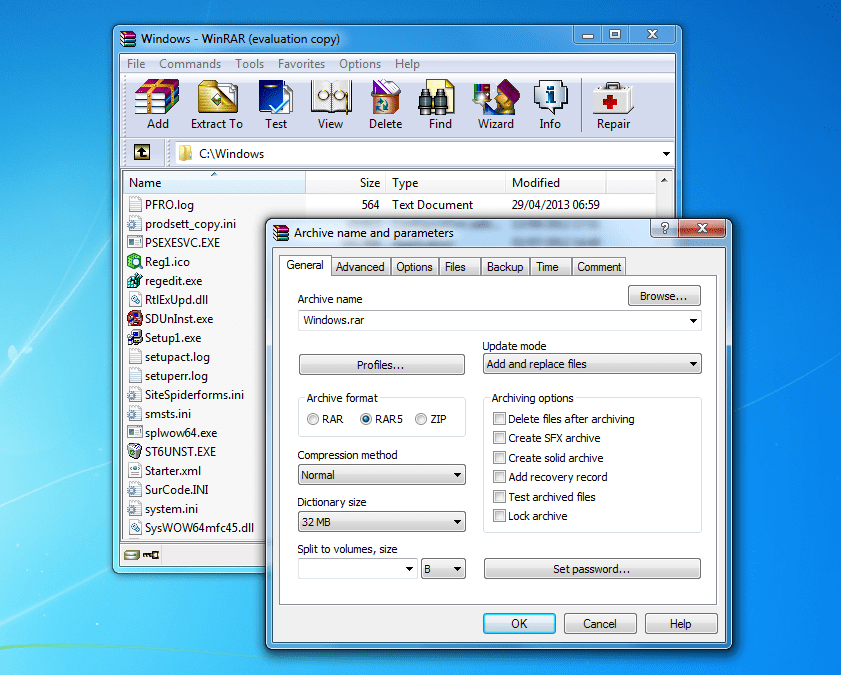
2. Winrar
WinRAR is another popular compression tool that supports RAR files. It’s available for both Windows and Mac, but we’ll focus on the Windows version here.
- Download and install WinRAR from the official website.
- Right-click on the RAR file you want to extract and select “Extract Here” or “Extract to [folder name]”.
Programs to Open Rar Files on Mac
If you’re using a Mac, there are also several programs that can help you open and extract RAR files.
1. The Unarchiver
The Unarchiver is a free app available for Mac that supports a wide range of file formats, including RAR, ZIP, and TAR. To use The Unarchiver to open a RAR file:
- Download and install The Unarchiver from the Mac App Store.
- Right-click on the RAR file you want to extract and select “Open with” > “The Unarchiver”.
2. Keka
Keka is another popular app for Mac that supports RAR files. It’s free and open-source, but it does require some setup before you can use it.
- Download and install Keka from the official website.
- Follow the instructions on the Keka website to set up the program and extract the contents of a RAR file.
Programs to Open Rar Files on Linux
If you’re using a Linux computer, there are several programs that can help you open and extract RAR files. Some popular options include:
1. Ark
Ark is a free app available for many Linux distributions that supports RAR files. To use Ark to open a RAR file:
- Install Ark on your Linux system.
- Right-click on the RAR file you want to extract and select “Extract Here” or “Extract to [folder name]”.
2. File Roller
File Roller is another free app available for many Linux distributions that supports RAR files. To use File Roller to open a RAR file:
- Install File Roller on your Linux system.
- Right-click on the RAR file you want to extract and select “Extract Here” or “Extract to [folder name]”.
Online Services to Open Rar Files
If you don’t have any of the programs mentioned above, there are also several online services that can help you extract the contents of a RAR file.
1. B1 Online Archiver
B1 Online Archiver is a free service that allows you to upload and extract RAR files without installing any software on your computer. To use B1 Online Archiver:
- Go to the B1 Online Archiver website.
- Click the “Uncompress files” button and select the RAR file you want to extract.
2. Unzip-online.com
Unzip-online.Com is another online service that allows you to upload and extract RAR files without installing any software on your computer. To use Unzip-online.Com:
- Go to the Unzip-online.Com website.
- Click the “Uncompress” button and select the RAR file you want to extract.
Conclusion
Opening RAR files is a straightforward process that can be accomplished with the right tools. Whether you’re using Windows, Mac, or Linux, there are several programs available that can help you extract the contents of a RAR file. Additionally, online services like B1 Online Archiver and Unzip-online.Com provide an alternative option for those who don’t have any compression software installed on their computer.
Faqs
Here are some frequently asked questions related to opening RAR files:
Q: What is a RAR file?
A: A RAR file is a compressed archive that contains multiple files or folders.
Q: How do I open a RAR file on Windows?
A: You can use 7-Zip, WinRAR, or other compression software to extract the contents of a RAR file.
Q: How do I open a RAR file on Mac?
A: You can use The Unarchiver, Keka, or other compression software to extract the contents of a RAR file.
Q: How do I open a RAR file on Linux?
A: You can use Ark, File Roller, or other compression software to extract the contents of a RAR file.
Q: Are there any online services that allow me to open and extract RAR files?
A: Yes, there are several online services like B1 Online Archiver and Unzip-online.Com that allow you to upload and extract RAR files without installing any software on your computer.


