
How to Open Zip Files For Free on Windows, Macos, And Linux
Are you tired of searching for ways to open ZIP files without having to pay a dime? Look no further! In this article, we will explore the best programs to open ZIP files for free on Windows, macOS, and Linux.
Why Can’t I Open Zip Files on My Computer?
You might be wondering why you can’t simply open ZIP files on your computer. Well, it’s because most operating systems don’t come with a built-in program to extract ZIP files. But fear not, dear reader! We have some amazing solutions for you.
Windows: Using The Built-in Tool
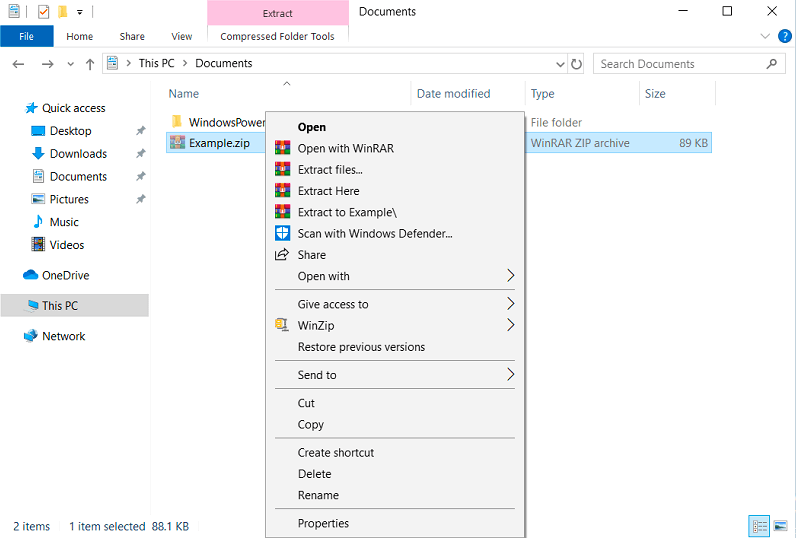
If you’re using Windows, you’re in luck! You can use the built-in tool to open and extract ZIP files without having to download any additional software. Here’s how:
- Right-click on the ZIP file you want to open.
- Select “Extract all” from the context menu.
- Choose a location where you want to save the extracted files.
- Click “Extract” to begin the extraction process.
That’s it! You can now access your ZIP files without needing any additional software.
Macos: Using The Built-in Tool
If you’re using macOS, you can use the built-in tool called “Archive Utility” to open and extract ZIP files. Here’s how:
- Right-click on the ZIP file you want to open.
- Select “Open with > Archive Utility”.
- Choose a location where you want to save the extracted files.
- Click “Extract” to begin the extraction process.
The Best Programs to Open Zip Files For Free
Now, let’s move on to some amazing programs that can help you open and extract ZIP files without any hassle. Here are our top picks:
7-Zip (Windows)
7-Zip is a free and open-source program that can compress and decompress files in various formats, including ZIP, 7Z, RAR, CAB, and GZIP. It’s available for Windows 64-bit and 32-bit.
Keka (macOS)
Keka is another excellent option for macOS users. This free app can extract files from ZIP, RAR, 7Z, and other formats. You can also use it to create new compressed files in various formats.
B1 Online Archiver
If you’re looking for an online solution that’s easy to use, B1 Online Archiver is a great choice. This free service allows you to extract ZIP files without needing any software installation. The maximum file size limit is 300 MB.
Other Programs to Open Zip Files Online
We also have some other programs that can help you open and extract ZIP files online:
Unzip-online
This free service can help you open ZIP files without any hassle. You can upload your ZIP file and extract the contents directly from the website.
Estrattore di File (123apps)
This online tool allows you to extract ZIP, RAR, 7Z, DMG, TAR, ISO, and other compressed files without needing any software installation. The maximum file size limit is 200 MB.
Ezyzip
Another excellent option for opening and extracting compressed files online is ezyZip. You can upload your ZIP file and extract the contents directly from the website.
Mobile Apps to Open Zip Files on Android And Ios/ipados
And if you’re looking for mobile apps that can help you open and extract ZIP files, here are our top picks:
Files by Google (Android)
This free app can help you manage your files on Android devices. It also allows you to extract ZIP files directly from the app.
Zarchiver (Android)
Another excellent option for Android users is ZArchiver. This free app can help you open and extract compressed files, including ZIP, RAR, 7Z, and others.
Rows (iOS/iPadOS)
This built-in app on iOS devices allows you to manage your files directly from the device. You can also use it to extract ZIP files without needing any additional software.
Izip (iOS/iPadOS)
Lastly, we have iZip, a popular app for creating and extracting ZIP files on iOS devices. It’s available for free download from the App Store, but some features are locked behind a paid subscription.
Conclusion
In conclusion, opening and extracting ZIP files is not as difficult as it seems! With these amazing programs and online services, you can now access your compressed files without any hassle. Whether you’re using Windows, macOS, or Linux, we’ve got you covered.


