
Recovering Erased Files: A Guide to The Best Programs
Are you among the many who have inadvertently erased important files from your computer or smartphone? Don’t worry; this article will guide you through the best programs available for recovering those deleted files.
Why Recovering Deleted Files is Crucial
When we delete a file, it doesn’t necessarily mean that it’s gone forever. Depending on how our operating system handles data storage, it might still be recoverable. This is especially true if the space occupied by the deleted file hasn’t been overwritten with new data. Losing important files can lead to significant inconvenience and even financial losses.
Programs to Recover Erased Files
Fortunately, there are several excellent programs available that can help you recover erased files. Here are some of the best ones:
1. Easeus Data Recovery Wizard (Windows/Mac)
EaseUS Data Recovery Wizard is a powerful tool that supports various file types and devices. It’s free to download and use for recovering up to 2 GB of data.
How to Use Easeus Data Recovery Wizard:
- Download and install the software from the official website.
- Launch the program, select the device or partition where your deleted files were stored, and click “Scan” to start the recovery process.
- Once the scan is complete, you can preview and recover your files.
2. Disk Drill (Windows/Mac)
Disk Drill is another excellent tool for recovering erased data from various devices, including hard drives, SSDs, and memory cards.
How to Use Disk Drill:
- Download and install the software from the official website.
- Launch the program, select the device or partition where your deleted files were stored, and click “Scan” to start the recovery process.
- Once the scan is complete, you can preview and recover your files.
3. Photorec (Windows/Mac/Linux)
PhotoRec is a free, open-source tool specifically designed for recovering photos, videos, and other file types from various devices.
How to Use Photorec:
- Download and install the software from the official website.
- Launch the program, select the device or partition where your deleted files were stored, and click “Scan” to start the recovery process.
- Once the scan is complete, you can preview and recover your files.
Other Programs to Recover Erased Files
There are many other programs available that can help you recover erased files. Some of these include:
- MiniTool Power Data Recovery (Windows/Mac)
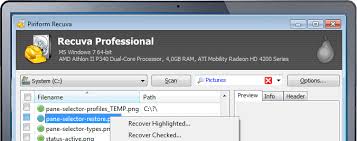
- Recuva (Windows)
- DiskDigger (Android)
Each of these tools has its own strengths and weaknesses, so it’s essential to choose the one that best suits your needs.
Tips For Recovering Erased Files
Recovering erased files can be a delicate process. Here are some tips to keep in mind:
- Act quickly: The sooner you start the recovery process, the better.
- Avoid overwriting data: Try not to save new files on the same device or partition where your deleted files were stored.
- Use the right tool: Choose a program that’s specifically designed for recovering erased files from devices like yours.
Conclusion
Recovering erased files can be a daunting task, but with the right tools and knowledge, it’s definitely possible. By choosing the best programs available, following the proper procedures, and being mindful of tips and precautions, you can increase your chances of successfully recovering those important files.
Frequently Asked Questions (FAQs)
Here are some frequently asked questions about recovering erased files:
Q: Can I recover deleted files from my phone?
A: Yes, there are several programs available that can help you recover deleted files from your phone or tablet.
Q: How long does the recovery process take?
A: The time it takes to complete the recovery process depends on various factors, including the type of device and the size of the data being recovered.
Q: Are there any risks involved in using a file recovery program?
A: While file recovery programs are generally safe to use, it’s essential to exercise caution when downloading and installing software from unknown sources.


