
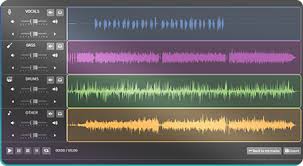
How to Remove The Voice From a Song: A Step-by-step Guide
Are you looking for ways to remove the voice from a song? Whether it’s for karaoke purposes or to create an instrumental version of your favorite tune, we’ve got you covered. In this article, we’ll show you how to use various software programs and apps to take the vocals out of a song.
What You Need to Know
Before we dive into the step-by-step guide, it’s essential to understand that removing the voice from a song is not an easy task. It requires advanced audio editing skills and specialized software. However, with the right tools and techniques, you can achieve professional-sounding results.
Programs to Remove The Voice of a Song
There are several programs available that can help you remove the voice from a song. Some popular options include:
- Audacity: This is a free, open-source audio editing software that’s widely used by professionals and hobbyists alike.
- Garageband: If you’re using a Mac, GarageBand is an excellent choice for removing vocals from a song.
- Lalal.Ai: This online service uses artificial intelligence to separate the vocal and instrumental parts of a song.
Step-by-step Guide: Using Audacity
Let’s start with Audacity, which is available for Windows, macOS, and Linux.
- Download And Install Audacity: Head over to the Audacity website and download the software for your operating system.
- Launch Audacity: Once installed, launch Audacity and create a new project or open an existing one.
- Import The Song: Click on “File” > “Import” and select the song you want to remove the vocals from.
- Select The Audio Track: In the timeline view, click on the audio track that contains the vocals.
- Apply Effects: Go to “Effect” > “Amplify” and adjust the gain levels as needed.
- Split The Audio: Use the “Split” feature to separate the vocal and instrumental parts of the song.
Step-by-step Guide: Using Garageband
If you’re using a Mac, GarageBand is an excellent choice for removing vocals from a song.
- Launch Garageband: Open GarageBand on your Mac.
- Create a New Project: Click on “File” > “New Project” and select the type of project you want to create (e.G., Music, podcast).
- Import The Song: Click on “File” > “Import” and select the song you want to remove the vocals from.
- Drag And Drop The Audio Track: Drag and drop the audio track that contains the vocals into the timeline view.
- Apply Effects: Go to “Effects” and apply the “Alleviation and Vocal Isolation” effect.
- Split The Audio: Use the “Split” feature to separate the vocal and instrumental parts of the song.
Step-by-step Guide: Using Lalal.Ai
LALAL.Ai is an online service that uses artificial intelligence to separate the vocal and instrumental parts of a song.
- Create an Account: Sign up for a free account on LALAL.Ai.
- Upload The Song: Click on “Upload” and select the song you want to remove the vocals from.
- Choose The Profile: Select the profile that best suits your needs (e.G., Vocal, instrumental).
- Split The Audio: Wait for the AI to process the audio and separate the vocal and instrumental parts.
Conclusion
Removing the voice from a song requires advanced audio editing skills and specialized software. However, with the right tools and techniques, you can achieve professional-sounding results. We hope this guide has been helpful in showing you how to use Audacity, GarageBand, and LALAL.Ai to remove vocals from a song.
Frequently Asked Questions
- What is The Best Program For Removing Vocals From a Song?
- The best program for removing vocals from a song depends on your operating system and personal preference.
- How Long Does it Take to Remove Vocals From a Song?
- The time it takes to remove vocals from a song depends on the complexity of the audio and the software used.
- Can I Use Free Programs to Remove Vocals From a Song?
- Yes, there are several free programs available that can help you remove vocals from a song.
- What is Lalal.Ai?
- LALAL.Ai is an online service that uses artificial intelligence to separate the vocal and instrumental parts of a song.
- Can I Use Lalal.Ai on my Smartphone?
- Yes, you can access LALAL.Ai directly from your smartphone.
- What Are Some Other Programs Available For Removing Vocals From a Song?
- There are several other programs available, including Audacity, GarageBand, and WavePad Music and Audio Editor.
Additional Resources
If you’re interested in learning more about audio editing software or want to explore other options for removing vocals from a song, we recommend checking out the following resources:
- Audacity Tutorials: Find step-by-step guides on how to use Audacity.
- Garageband Tutorials: Learn how to use GarageBand to remove vocals from a song.
- Lalal.Ai Tutorials: Get started with LALAL.Ai and learn how to separate vocal and instrumental parts.
We hope this guide has been helpful in showing you how to remove the voice from a song.


