
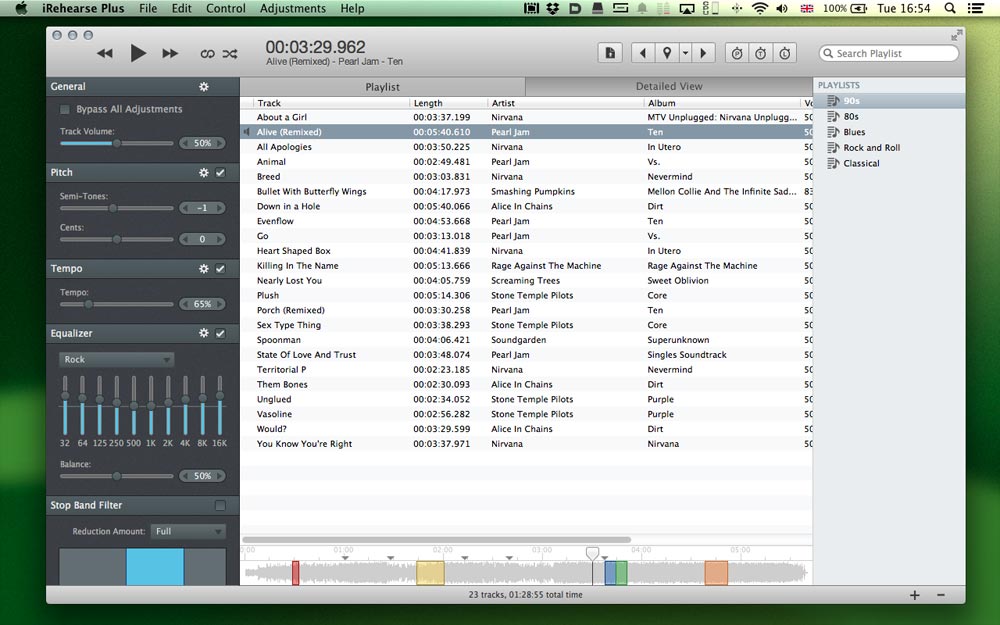
The Ultimate Guide to Slowing Down Music: Top Programs And Apps
Are you tired of music that’s too fast or overwhelming? Do you wish you could slow down your favorite songs to a more manageable pace? Look no further! In this article, we’ll explore the best programs and apps to slow down music on Windows, macOS, and even online.
What is Music Speed Control?
Music speed control refers to the ability to adjust the tempo of an audio file without altering its pitch. This can be useful for various purposes, such as:
- Slowing down fast-paced songs to improve comprehension
- Making music more accessible for people with hearing impairments or cognitive difficulties
- Enhancing creative expression in music production and editing
Top Programs For Slowing Down Music on Windows And Macos
- Audacity: A free, open-source audio editor that allows you to slow down music without altering its pitch.
- Download Audacity from Sourceforge and follow the installation instructions.
- Open Audacity and select the “Effects” menu > “Capsize speed” to adjust the tempo.
- Amazing Slow Downer: A professional software for Windows and macOS that can slow down music by up to 200% without altering its pitch.
- Download Amazing Slow Downer from their official website and follow the installation instructions.
- Open Amazing Slow Downer and select the file audio you want to slow down > adjust the tempo using the “Speed” and “Pitch” sliders.
- Bpminus: A free program for Windows that can slow down music without altering its pitch or affecting its quality.
- Download BPMinus from their official website and follow the installation instructions.
- Open BPMinus and select the file audio you want to slow down > adjust the tempo using the “Speed” and “Pitch” sliders.
Garageband: The Ultimate Music Production App
GarageBand is a free music production app available for macOS only. While it’s primarily designed for creating and editing music, it also allows you to slow down audio files without altering their pitch.
- Download GarageBand from the Mac App Store.
- Open GarageBand and select the “File” menu > “Import…” To add your audio file.
- Adjust the tempo using the “Speed” slider in the top right corner of the screen.
Online Music Speed Control Services
If you don’t want to download any software or apps, there are online services that can help you slow down music. Here are a few options:
- Audiotrimmer: A free online service that allows you to slow down audio files without altering their pitch.
- Visit AudioTrimmer’s website and select the file audio you want to slow down.
- Adjust the tempo using the “Speed” slider and click “Capsize” to apply the changes.
- Audio Speed Changer: Another online service that can slow down music without altering its pitch or affecting its quality.
- Visit Audio Speed Changer’s website and select the file audio you want to slow down.
- Adjust the tempo using the “Speed” slider and click “Convert now” to apply the changes.
Mobile Apps For Slowing Down Music
If you prefer using mobile apps, here are some options:
- Music Speed Changer (Android): An app that can slow down music without altering its pitch or affecting its quality.
- Download the app from Google Play Store and adjust the tempo using the “Speed” slider.
- Audipo (Android): A music player app that allows you to slow down audio files without altering their pitch.
- Download the app from Google Play Store and select the file audio you want to slow down > adjust the tempo using the “Speed” slider.
- Garageband (iOS): A professional music production app available for iOS devices, which also allows you to slow down audio files without altering their pitch.
- Download GarageBand from App Store and follow the same steps as described earlier.
Conclusion
Slowing down music can be a great way to improve comprehension, accessibility, or creative expression. With these top programs and apps, you can enjoy your favorite songs at a more manageable pace. Whether you prefer using Windows or macOS, or even online services, there’s something for everyone. So go ahead, experiment with different speeds, and find the perfect tempo that suits your needs!
Frequently Asked Questions
- Q: Can I Slow Down Music on my Smartphone?
A: Yes, there are mobile apps available for Android and iOS devices that can help you slow down music. - Q: Will Slowing Down Music Affect Its Quality or Pitch?
A: No, with the right software or app, you can slow down music without altering its pitch or affecting its quality. - Q: Can I Use These Programs And Apps For Commercial Purposes?
A: Check the terms of each program or app to see if they allow commercial use. - Q: Are These Services Free?
A: Some are, while others may require a subscription or one-time payment. - Q: Can I Slow Down Music With a Built-in Audio Editor?
A: Yes, some devices and operating systems have built-in audio editors that can help you slow down music. - Q: Will Slowing Down Music Make it Sound Weird or Unnatural?
A: It depends on the software or app used, but most of them are designed to preserve the original sound quality. - Q: Can I Save Slowed-down Music as a New File?
A: Yes, most programs and apps allow you to export the slowed-down audio as a new file. - Q: Are These Services Compatible With my Operating System?
A: Check the system requirements for each program or app to ensure compatibility with your device.
I hope this article has provided you with the necessary information to slow down music at your fingertips!


