
Synchronize Folders Made Easy: A Comprehensive Guide
Are you tired of dealing with file transfers between devices? Do you wish there was a simpler way to share files and folders across your devices? Look no further! In this article, we will explore the world of folder synchronization software, making it easy for you to understand and implement.
Why Synchronize Folders?
Synchronizing folders is essential in today’s digital age. With multiple devices and platforms, keeping your files up-to-date can be a challenge. Synchronization software helps you share files and folders across devices, ensuring that all your data is accessible from anywhere.
Top Free Folder Synchronization Software
In this article, we will focus on the top free folder synchronization software available for Windows, macOS, and mobile devices. These programs offer seamless file sharing and synchronization capabilities without costing a dime!
Onedrive (Windows/macOS/Mobile)
If you’re searching for a program to synchronize folders on Windows, OneDrive is the solution that’s perfect for you. This Microsoft service allows you to share files and folders across devices by accessing your account through a browser or downloading the free software for Windows and macOS.
Key Features:
- 5 GB of free storage space
- Integrated with recent versions of Windows
- Compatible with Android and iOS/iPadOS apps
Icloud Drive (Windows/macOS/Mobile)
Are you looking for a program to synchronize folders on Mac? iCloud Drive is the perfect solution for you. This Apple service allows file sharing and synchronization across devices, including iPhone and iPad.
Key Features:
- 5 GB of free storage space
- Integrated with Apple devices
- Compatible with Windows app
Google Drive (Windows/macOS/Mobile)
Among the top free folder synchronization software is Google Drive. This program offers seamless file sharing and synchronization across Google’s cloud storage service and your computer, compatible with Android and iOS/iPadOS apps.
Key Features:
- 15 GB of free storage space
- Integrated with recent versions of Windows and macOS
- Compatible with Android and iOS/iPadOS apps
Other Top Free Folder Synchronization Software
If you haven’t found the perfect solution yet, here are some other top-notch options:
Dropbox
A cloud service that offers 2 GB of free storage space, easily expandable to a paid plan for more storage. Perfect for sharing files and folders across devices.
Mega
A provider that focuses on user data security, offering 20 GB of free storage space with options to upgrade to more storage. Ideal for those who prioritize file safety.
Kdrive
Another service based on user data security, offering 15 GB of free storage space with paid upgrades to more storage. Perfect for sharing files and folders across devices.
Programs For Folder Synchronization Backup
Now that we’ve explored the top free folder synchronization software, let’s move on to programs for folder synchronization backup. These solutions go beyond simple file sharing and synchronization, offering a comprehensive backup solution.
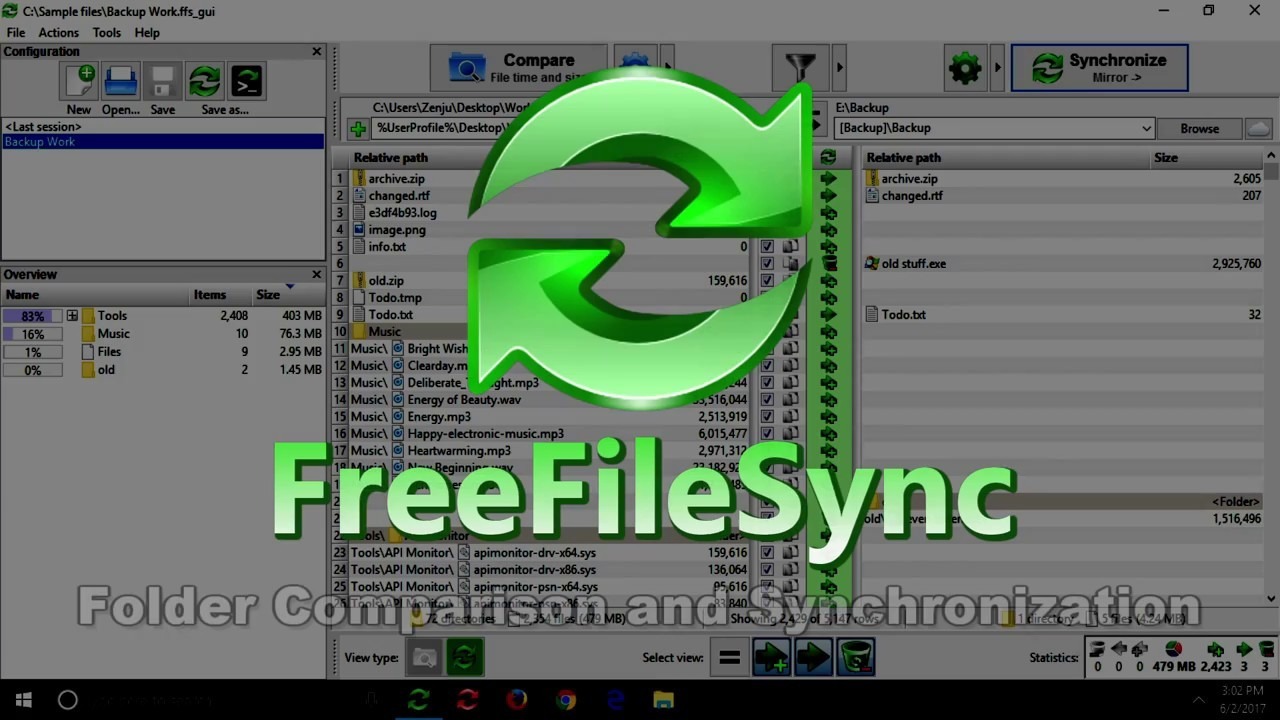
Freefilesync (Windows/macOS/Linux)
A free, open-source program designed to synchronize folders across external devices, including cloud storage services and external hard drives.
Key Features:
- Automatic backup of files and folders
- Compatible with Windows, macOS, and Linux
- Free to use and open-source
Other Programs For Folder Synchronization Backup
If you’re looking for alternative solutions:
Allway Sync (Windows)
A program designed for synchronizing folders across devices. Ideal for those who need advanced configuration options.
Logmein (Windows/macOS)
A service that allows remote access to your computer, sharing files and folders across devices. Offers a free trial period before subscription.
Synchredible (Windows)
Another program designed for synchronizing folders across devices. Free to use and perfect for those who need a simple solution.
Conclusion
In conclusion, synchronizing folders has never been easier with the numerous software solutions available today. From top-notch free folder synchronization software like OneDrive, iCloud Drive, Google Drive, Dropbox, MEGA, and kDrive, to programs designed specifically for folder synchronization backup such as FreeFileSync, there’s a solution perfect for everyone.
Frequently Asked Questions
- What is Folder Synchronization?
Folder synchronization refers to the process of sharing files and folders across multiple devices and platforms. - Why do I Need to Synchronize my Folders?
Synchronizing your folders ensures that all your data is up-to-date across all your devices, making it easier to access and share files. - Which Software Should I Use For Folder Synchronization?
The choice of software depends on your specific needs and preferences. For top-notch free options, consider OneDrive, iCloud Drive, Google Drive, Dropbox, MEGA, or kDrive. For programs designed specifically for folder synchronization backup, look into FreeFileSync, Allway Sync, LogMeIn, or Synchredible. - Are These Software Solutions Safe to Use?
All the software solutions mentioned in this article are reputable and safe to use, offering robust security features and data protection. - Can I Use These Software Solutions Across Multiple Devices?
Yes! All the software solutions mentioned can be used across multiple devices, including Windows, macOS, mobile devices, and more. - Do I Need to Pay For These Software Solutions?
No! Most of the software solutions mentioned are free to use, with some offering paid upgrades for more storage or advanced features.
What’s Next?
In our next article, we’ll explore the world of cloud storage services, delving into the top options available and how they can benefit your digital life. Stay tuned!


