
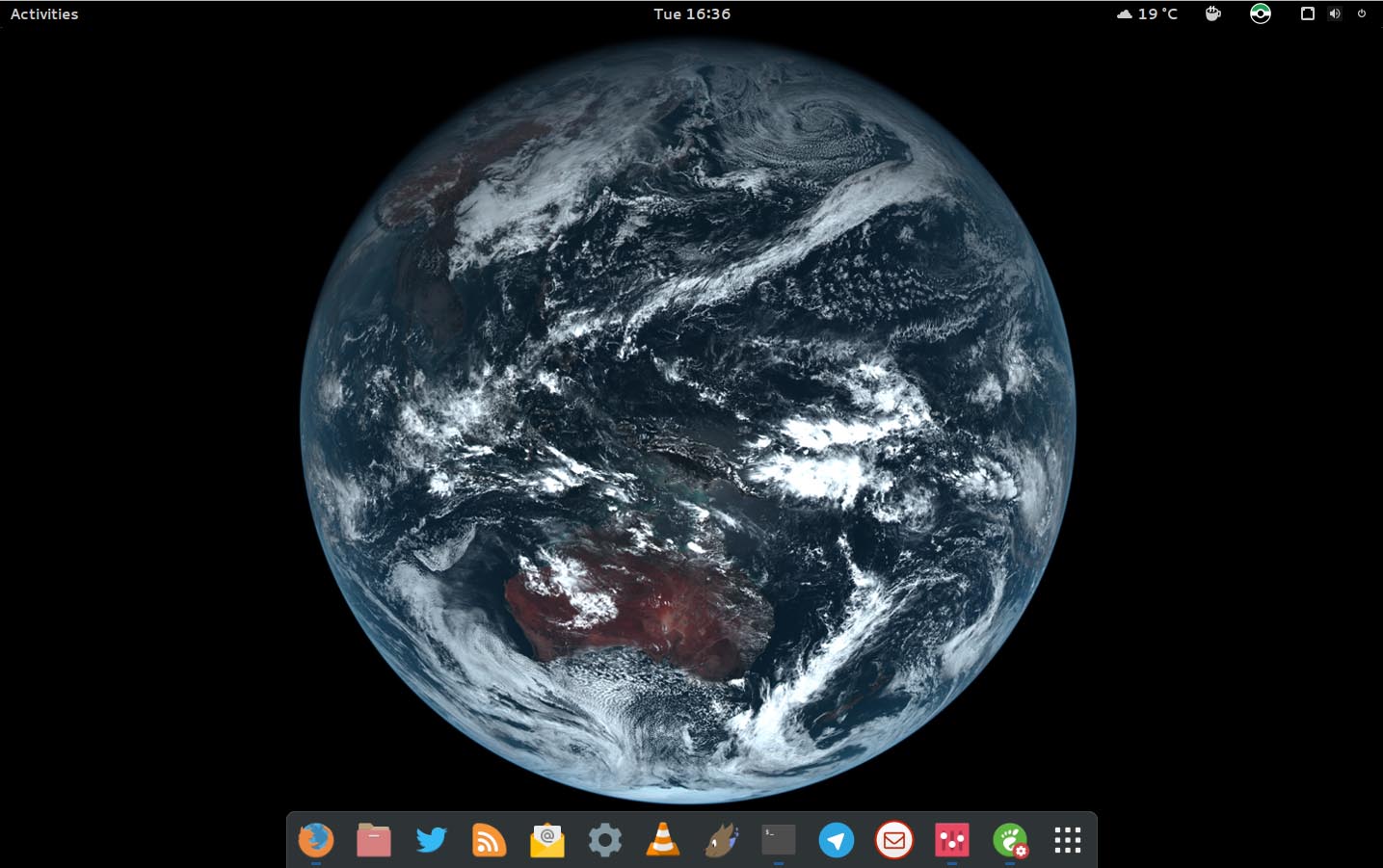
How to Get Royal Weather Images From Satellites as Your Phone’s Wallpaper
Are you tired of using the same old static images on your phone or computer? Do you want to have a live wallpaper that shows you the latest images from satellites? Look no further! In this article, we will explore how to get royal weather images from satellites and set them up as your phone’s wallpaper.
What Are Live Wallpapers?
Live wallpapers are dynamic backgrounds that can change based on various factors such as time, location, or events. They can be used to enhance the user experience by providing a more engaging and interactive interface. In this case, we will focus on live wallpapers that display images from satellites.
Live Earth: Pacific (Windows)
If you have a Windows 10 or 11 operating system, you can use the Live Earth: Pacific app to get live images from the Japanese meteorological satellite Himawari 8. This app is free and available for download from the Microsoft Store. To do so:
- Open the Microsoft Store on your computer.
- Search for “Live Earth: Pacific” in the search bar.
- Click on the result, then click on the “Get” button to download and install the app.
- Once installed, open the app and select the image you want to use as your wallpaper.
Downlink (macOS)
If you have a Mac, you can use the Downlink app to get live images from satellites. This app is free and available for download from the Mac App Store. To do so:
- Open the Mac App Store on your computer.
- Search for “Downlink” in the search bar.
- Click on the result, then click on the “Get” button to download and install the app.
- Once installed, open the app and select the image you want to use as your wallpaper.
Other Solutions For Live Wallpapers
There are other solutions available that can provide live wallpapers from satellites. Some of these include:
- Live Orbital Wallpapers (Windows): This app provides live images from various satellites, including Himawari-8 and NASA GOES East.
- Nasa Visible Earth: This website offers a wide range of images from the Earth seen by satellites.
Setting up Live Wallpapers on Your Phone
To set up live wallpapers on your phone, follow these steps:
- Open your phone’s settings app.
- Go to the “Wallpaper” or “Background” section.
- Select the option for a live wallpaper.
- Choose the image you want to use as your wallpaper.
Tips And Tricks
Here are some tips and tricks to keep in mind when using live wallpapers:
- Make sure your phone’s battery is fully charged, as live wallpapers can consume more power.
- Be aware that some live wallpapers may not work properly due to software limitations.
- Consider using a static image instead of a live wallpaper if you experience issues.
Conclusion
In conclusion, getting royal weather images from satellites and setting them up as your phone’s wallpaper is possible with the right tools and instructions. By following the steps outlined in this article, you can enjoy live wallpapers that provide an engaging and interactive user experience. Remember to consider tips and tricks when using live wallpapers to ensure a smooth and enjoyable experience.
Frequently Asked Questions
- What Are Live Wallpapers?
Live wallpapers are dynamic backgrounds that can change based on various factors such as time, location, or events. - How do I Get Live Wallpapers For my Phone?
You can download apps from the App Store (for iOS devices) or Google Play Store (for Android devices) to get live wallpapers. - What Kind of Images Are Available For Live Wallpapers?
There are various types of images available, including royal weather images from satellites, landscapes, and more. - Do Live Wallpapers Consume More Battery Power?
Yes, live wallpapers can consume more battery power due to the constant updates and refreshes required to display the latest images. - Can I Use Live Wallpapers on my Computer?
Yes, you can use live wallpapers on your computer by downloading apps from the Microsoft Store (for Windows devices) or Mac App Store (for macOS devices). - What Are Some Tips For Using Live Wallpapers?
Some tips include making sure your device’s battery is fully charged and being aware of software limitations that may affect live wallpaper functionality. - Can I Customize my Live Wallpaper Settings?
Yes, you can customize your live wallpaper settings to suit your preferences, such as choosing the image resolution or selecting specific images to use. - Are Live Wallpapers Available For All Types of Devices?
While live wallpapers are widely available, there may be some limitations depending on your device type and operating system.


