
The Ultimate Guide to Remote Access Programs
Are you tired of dealing with complicated computer issues? Do you wish there was a way to access your computer remotely, without having to physically be present? Look no further! In this article, we will explore the world of remote access programs, and show you how to use them to troubleshoot common problems.
What Are Remote Access Programs?
Remote access programs allow you to control another computer or device from a remote location. This can be especially useful for troubleshooting issues, setting up new devices, or simply controlling your home computer while you’re away.
The Benefits of Remote Access Programs
There are many benefits to using remote access programs, including:
- Convenience: No longer do you have to physically be present to troubleshoot an issue.
- Time-saving: Remote access programs can save you a significant amount of time by allowing you to fix issues quickly and easily.
- Cost-effective: No longer do you need to hire a professional to fix common problems.
The Top Remote Access Programs
Here are some of the top remote access programs available:
Teamviewer
- TeamViewer is one of the most popular remote access programs available.
- It’s free for personal use, but requires a license for commercial use.
- It’s available for Windows, Mac, Linux, Android, iOS, and Windows Phone.
Features:
- Screen Sharing: Share your screen with another user in real-time.
- File Transfer: Transfer files from one computer to another.
- Remote Control: Control another computer or device remotely.
Supremo
- Supremo is a free remote access program that’s available for Windows, Mac, Android, and iOS.
- It’s easy to use and doesn’t require any installation or configuration.
- It features a simple interface that makes it easy to navigate.
Features:
- Remote Control: Control another computer or device remotely.
- File Transfer: Transfer files from one computer to another.
- Screen Sharing: Share your screen with another user in real-time.
Isl Online
- ISL Online is a professional remote access program that’s used by many companies and organizations.
- It features advanced security measures to protect sensitive data.
- It’s available for Windows, Mac, Android, iOS, and Windows Phone.
Features:
- Remote Control: Control another computer or device remotely.
- File Transfer: Transfer files from one computer to another.
- Screen Sharing: Share your screen with another user in real-time.
Iperius Remote
- Iperius Remote is a remote access program that’s easy to use and features advanced security measures.
- It’s available for Windows, Mac, Android, and iOS.
- It’s free for personal use, but requires a license for commercial use.
Features:
- Remote Control: Control another computer or device remotely.
- File Transfer: Transfer files from one computer to another.
- Screen Sharing: Share your screen with another user in real-time.
Realvnc
- RealVNC is a remote access program that’s available for Windows, Mac, and Linux.
- It features advanced security measures to protect sensitive data.
- It’s free for personal use, but requires a license for commercial use.
Features:
- Remote Control: Control another computer or device remotely.
- File Transfer: Transfer files from one computer to another.
- Screen Sharing: Share your screen with another user in real-time.
Ultravnc
- UltraVNC is a remote access program that’s available for Windows, Mac, and Linux.
- It features advanced security measures to protect sensitive data.
- It’s free for personal use, but requires a license for commercial use.
Features:
- Remote Control: Control another computer or device remotely.
- File Transfer: Transfer files from one computer to another.
- Screen Sharing: Share your screen with another user in real-time.
Logmein
- LogMeIn is a remote access program that’s available for Windows and Mac.
- It features advanced security measures to protect sensitive data.
- It’s free for personal use, but requires a license for commercial use.
Features:
- Remote Control: Control another computer or device remotely.
- File Transfer: Transfer files from one computer to another.
- Screen Sharing: Share your screen with another user in real-time.
Showmypc
- ShowMyPC is a remote access program that’s available for Windows.
- It features advanced security measures to protect sensitive data.
- It’s free for personal use, but requires a license for commercial use.
Features:
- Remote Control: Control another computer or device remotely.
- File Transfer: Transfer files from one computer to another.
- Screen Sharing: Share your screen with another user in real-time.
Ammyy Admin
- Ammyy Admin is a remote access program that’s available for Windows.
- It features advanced security measures to protect sensitive data.
- It’s free for personal use, but requires a license for commercial use.
Features:
- Remote Control: Control another computer or device remotely.
- File Transfer: Transfer files from one computer to another.
- Screen Sharing: Share your screen with another user in real-time.
Screens Vnc
- Screens VNC is a remote access program that’s available for Mac and iOS.
- It features advanced security measures to protect sensitive data.
- It’s free for personal use, but requires a license for commercial use.
Features:
- Remote Control: Control another computer or device remotely.
- File Transfer: Transfer files from one computer to another.
- Screen Sharing: Share your screen with another user in real-time.
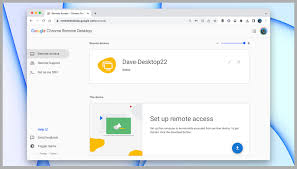
Chrome Remote Desktop
- Chrome Remote Desktop is a remote access program that’s available for Windows, Mac, and Linux.
- It features advanced security measures to protect sensitive data.
- It’s free for personal use, but requires a license for commercial use.
Features:
- Remote Control: Control another computer or device remotely.
- File Transfer: Transfer files from one computer to another.
- Screen Sharing: Share your screen with another user in real-time.
Conclusion
In conclusion, remote access programs are a convenient and cost-effective way to troubleshoot common problems and save time. With so many options available, there’s no excuse for not using one of these programs to make your life easier.
Frequently Asked Questions
-
What is the best remote access program?
- TeamViewer, Supremo, ISL Online, Iperius Remote, RealVNC, UltraVNC, LogMeIn, ShowMyPC, Ammyy Admin, Screens VNC, and Chrome Remote Desktop are all popular options.
-
Which remote access programs are free to use?
- TeamViewer, Supremo, ISL Online, Iperius Remote, RealVNC, UltraVNC, LogMeIn, ShowMyPC, Ammyy Admin, Screens VNC, and Chrome Remote Desktop offer free versions or trials.
-
Which remote access programs are available for Mac?
- TeamViewer, Supremo, ISL Online, Iperius Remote, RealVNC, UltraVNC, LogMeIn, ShowMyPC, Ammyy Admin, Screens VNC, and Chrome Remote Desktop are all available for Mac.
-
Which remote access programs are available for Android?
- TeamViewer, Supremo, ISL Online, Iperius Remote, RealVNC, UltraVNC, LogMeIn, ShowMyPC, Ammyy Admin, Screens VNC, and Chrome Remote Desktop are all available for Android.
-
Which remote access programs are available for iOS?
- TeamViewer, Supremo, ISL Online, Iperius Remote, RealVNC, UltraVNC, LogMeIn, ShowMyPC, Ammyy Admin, Screens VNC, and Chrome Remote Desktop are all available for iOS.
-
Which remote access programs offer file transfer capabilities?
- TeamViewer, Supremo, ISL Online, Iperius Remote, RealVNC, UltraVNC, LogMeIn, ShowMyPC, Ammyy Admin, Screens VNC, and Chrome Remote Desktop all offer file transfer capabilities.
-
Which remote access programs offer screen sharing capabilities?
- TeamViewer, Supremo, ISL Online, Iperius Remote, RealVNC, UltraVNC, LogMeIn, ShowMyPC, Ammyy Admin, Screens VNC, and Chrome Remote Desktop all offer screen sharing capabilities.
-
Which remote access programs are available for Linux?
- TeamViewer, Supremo, ISL Online, Iperius Remote, RealVNC, UltraVNC, LogMeIn, ShowMyPC, Ammyy Admin, Screens VNC, and Chrome Remote Desktop are all available for Linux.


