
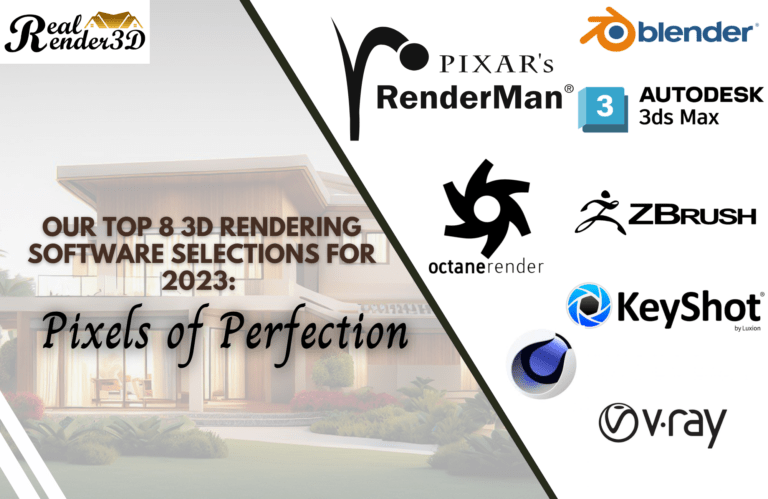
Rendering Software: The Ultimate Guide
Are you looking to take your design skills to the next level? Do you want to create stunning 3D models, animations, and architectural designs with ease? Look no further than rendering software! In this article, we will explore the best programs for rendering 3D, furniture, architecture, and more.
What is Rendering Software?
Rendering software is a type of computer program that allows users to create and render high-quality 3D models, animations, and architectural designs. These programs use complex algorithms and graphics processing units (GPUs) to generate photorealistic images and videos from digital models.
Top Rendering Software For 3D Modeling
- Blender: Blender is a free and open-source rendering software that is available for Windows, macOS, and Linux. It’s an excellent choice for beginners and professionals alike, offering advanced features like animation, physics, and dynamics.
- Openscad: OpenSCAD is another popular open-source rendering software that is available for Windows, macOS, and Linux. It allows users to create 3D models using a simple scripting language.
- Terragen: Terragen is a powerful rendering software that specializes in creating high-quality terrain and landscape models.
Rendering Software For Furniture
- Autocad: AutoCAD is a popular computer-aided design (CAD) software that can be used to create 2D and 3D designs, including furniture models.
- Sweet Home 3D: Sweet Home 3D is a free rendering software that allows users to create and render 3D models of their home or office.
- Room Arranger: Room Arranger is another popular rendering software that specializes in creating 3D models of rooms and furniture.
Rendering Software For Architecture
- Sketchup: SketchUp is a powerful rendering software that is widely used by architects, designers, and builders. It allows users to create and render 2D and 3D models of buildings, bridges, and other architectural designs.
- Freecad: FreeCAD is an open-source rendering software that can be used to create 2D and 3D models of buildings, furniture, and other architectural designs.
- Luxcorerender: LuxCoreRender is a powerful rendering software that specializes in creating high-quality images and videos from architectural models.
Other Rendering Software
- Rhinoceros: Rhinoceros is a popular CAD software that can be used to create 2D and 3D designs, including furniture and architectural models.
- Ashampoo Home Designer: Ashampoo Home Designer is a powerful rendering software that specializes in creating high-quality images and videos from home and office designs.
Conclusion
Rendering software has come a long way in recent years, offering users an incredible range of tools and features to create stunning 3D models, animations, and architectural designs. Whether you’re a beginner or a professional, there’s a rendering software out there for you. Remember to choose the right software based on your needs and skill level.
Faqs
- What is Rendering Software?
Rendering software is a type of computer program that allows users to create and render high-quality 3D models, animations, and architectural designs. - What Are Some Popular Rendering Software Options?
Some popular rendering software options include Blender, OpenSCAD, Terragen, AutoCAD, Sweet Home 3D, Room Arranger, SketchUp, FreeCAD, LuxCoreRender, Rhinoceros, and Ashampoo Home Designer. - What is The Best Rendering Software For Beginners?
Blender is an excellent choice for beginners, offering advanced features like animation, physics, and dynamics in a free and open-source package. - Can I Use Rendering Software on a Mac or Linux Computer?
Yes, many rendering software options are available for Mac and Linux computers, including Blender, OpenSCAD, Terragen, and SketchUp. - Do I Need to Have Any Prior Experience With Cad Software to Use Rendering Software?
No, you don’t necessarily need prior experience with CAD software to use rendering software. Many programs offer tutorials and guides to help beginners get started. - Can I Use Rendering Software to Create Animations or Videos?
Yes, many rendering software options allow users to create animations or videos from 3D models, including Blender, OpenSCAD, and SketchUp. - How Much Does Rendering Software Cost?
Some rendering software options are free, while others require a paid subscription or one-time purchase fee. Costs vary depending on the program and features. - Can I Use Rendering Software For Architectural Design Purposes?
Yes, many rendering software options can be used for architectural design purposes, including SketchUp, FreeCAD, and LuxCoreRender.


