
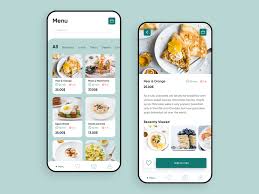
The Ultimate Guide to Creating a Digital Menu For Your Restaurant
Are you looking to create a digital menu for your restaurant? Do you want to make it easy for customers to browse through your menu even before they arrive at your venue? You’re in luck! There are several amazing apps available that can help you create a digital menu or print one out for your customers. In this guide, we’ll explore the best apps for creating a digital menu and some other useful tools that can make managing your restaurant’s menu a breeze.
The Best Apps For Creating a Digital Menu
-
Moodbemanager
MoodbeManager is one of the top-rated apps for creating a digital menu. It’s available for both Android and iOS devices and offers a free version as well as a paid subscription (starting at 29.16 Euros/month). The app allows you to create, manage, and share your menu online.- Features:
- Create and manage digital menus
- Add images and descriptions of products
- Create surveys and other advanced functionalities
- Share QR code for customers to access the menu
- Features:
-
Canva
If you prefer a more graphic approach, Canva is an excellent choice. This app offers a wide range of templates and design tools that can help you create a visually appealing digital menu. The free version allows you to use most features, but some advanced functionalities require a paid subscription (starting at 11.99 Euros/month).- Features:
- Create graphic blueprints using various templates
- Add images and text to customize the design
- Share or print the menu in PDF format
- Features:
-
Menu Maker
Menu Maker is another popular app for creating a digital menu. It offers over 1,000 pre-made templates that you can personalize to your liking. The free version has some limitations, but upgrading to Menu Maker Pro (starting at 4.49 Euros/week) gives you access to more features.- Features:
- Choose from various templates and customize them
- Add images and text to the menu
- Save and share the menu in PDF or image format
- Features:
Apps For Reading Menus
If you’re looking for an app that allows customers to read your menu without having to physically visit your restaurant, there are several options available.
-
App Fotocamera
The App Fotocamera (Camera App) on your smartphone can be used to scan the QR code of your menu and view it online. -
Smarttouch Menu
SmartTouch Menu is a free app for Android and iOS devices that allows customers to read menus by scanning QR codes. It also enables them to order food directly from their device. -
Moodbe
Moodbe is an app that allows customers to access menus created with MoodbeManager, translate them into their preferred language, and even place orders directly through the app.
Tips For Creating a Digital Menu
- Keep it Simple: Ensure your menu is easy to navigate and understand.
- Make it Visually Appealing: Use high-quality images and choose a clean design.
- Update Regularly: Keep your menu fresh by adding new items, promotions, or seasonal specials.
- Test And Refine: Try out different versions of your menu and gather feedback from customers.
Conclusion
Creating a digital menu for your restaurant can be a great way to enhance the customer experience and make managing your business more efficient. By choosing the right app and following these tips, you’ll be well on your way to creating a menu that impresses and delights your customers.
Frequently Asked Questions (FAQs)
-
Q: What Are The Benefits of Having a Digital Menu?
A: A digital menu can improve customer satisfaction, reduce wait times, and increase sales. -
Q: How do I Get Started With Creating a Digital Menu?
A: Choose an app that suits your needs, follow their guidelines, and start designing your menu. -
Q: Can I Use Multiple Apps to Manage my Menu?
A: Yes, you can experiment with different apps to find the one that works best for your restaurant. -
Q: How do Customers Access my Digital Menu?
A: Depending on the app you choose, customers may be able to scan a QR code, visit your website, or download an app to view your menu. -
Q: Can I Add Images And Descriptions of Products to my Digital Menu?
A: Yes, many apps allow you to add high-quality images and detailed product information to enhance the customer experience. -
Q: How Often Should I Update my Digital Menu?
A: Regularly update your menu to reflect seasonal changes, new items, or promotions to keep customers engaged. -
Q: Can I Use a Digital Menu in Conjunction With Traditional Menus?
A: Yes, you can have both physical and digital menus available for customers to choose from. -
Q: Are There Any Costs Associated With Using a Digital Menu App?
A: Some apps offer free versions or trials, while others may require a paid subscription or one-time fee for premium features.


