
The Ultimate Guide to Scanning Documents: Top Programs And Apps For Windows, Mac, And Mobile Devices
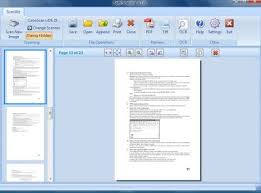
Are you tired of using outdated scanning software or struggling to find the right tools for your digital needs? Look no further! In this comprehensive guide, we’ll explore the top programs and apps for scanning documents on Windows, Mac, and mobile devices.
Why Scan Documents in The First Place?
Before we dive into the nitty-gritty of scanning software, let’s quickly discuss why scanning documents is essential in today’s digital age. Scanning documents allows you to:
- Save physical space by digitizing important papers
- Share documents easily via email or cloud storage services
- Improve organization and reduce clutter
- Increase productivity by automating tasks
Top Programs For Scanning Documents on Windows
- Microsoft Scan: The built-in scanning software on Windows 10 and 11 is a great starting point. It’s easy to use, offers various settings options, and allows you to save scans in PDF or JPEG format.
- Epson Scan: If you have an Epson printer, this software is a must-have for scanning documents. It’s user-friendly, offers advanced features like OCR recognition, and supports multiple file formats.
- HP Smart: This app is designed specifically for HP printers and scanners. It allows you to scan documents, edit images, and share files with ease.
Top Programs For Scanning Documents on Mac
- Image Acquisition: This built-in software on macOS allows you to scan documents using your printer or scanner. It’s easy to use, offers settings options, and saves scans in various file formats.
- Naps2: A free, open-source software that enables scanning documents using a scanner. It supports OCR recognition, image editing, and export to multiple file formats.
Top Apps For Scanning Documents on Mobile Devices
- Genius Scan (Android/iOS/iPadOS): This app is designed specifically for mobile devices and offers advanced features like automatic cropping and saving scans in PDF or JPEG format.
- Microsoft Lens (Android/iOS/iPadOS): A free, cross-platform app that allows you to scan documents, images, and even handwritten notes using your smartphone’s camera.
- Swiftscan (Android/iOS/iPadOS): A user-friendly app that enables scanning documents and QR codes with ease. It offers advanced features like OCR recognition and image editing.
Other Noteworthy Programs For Scanning Documents
- Freeocr: A free, open-source software that supports OCR recognition and export to multiple file formats.
- Icopy: A free software that allows you to scan documents and convert them into a digital format.
- Naps2: A free software that enables scanning documents using a scanner.
Conclusion
Scanning documents has become an essential part of our digital lives. With the top programs and apps listed above, you can easily digitize your important papers, share them with others, and improve organization. Whether you’re on Windows, Mac, or mobile devices, there’s a perfect scanning solution for you.
Frequently Asked Questions (FAQs)
- Q: What is The Best Program For Scanning Documents on Windows?
A: Microsoft Scan is an excellent choice, but Epson Scan and HP Smart are also top contenders. - Q: Can I Use my Smartphone’s Camera to Scan Documents?
A: Yes! Apps like Genius Scan, Microsoft Lens, and SwiftScan allow you to scan documents using your mobile device’s camera. - Q: What is Ocr Recognition, And Why do I Need It?
A: OCR (Optical Character Recognition) recognition allows software to identify text within images or scanned documents. It’s essential for scanning handwritten notes, receipts, or other types of documents containing text. - Q: Are These Programs And Apps Free to Use?
A: Yes! Most of the programs and apps listed are free to download and use, with some offering premium features or upgrades for a fee. - Q: Can I Scan Documents in Bulk Using These Programs And Apps?
A: Yes! Many of the programs and apps allow you to scan multiple documents at once, making it easy to digitize large collections of papers. - Q: Are There Any System Requirements For Installing These Programs And Apps?
A: Most programs and apps have minimal system requirements, but be sure to check the official website or documentation before installation. - Q: Can I Use These Programs And Apps on Multiple Devices?
A: Yes! Many of the programs and apps are designed to be used across multiple platforms, including Windows, Mac, Android, iOS, and iPadOS.
Conclusion
In conclusion, scanning documents has become an essential part of our digital lives. With the top programs and apps listed above, you can easily digitize your important papers, share them with others, and improve organization. Whether you’re on Windows, Mac, or mobile devices, there’s a perfect scanning solution for you.


