
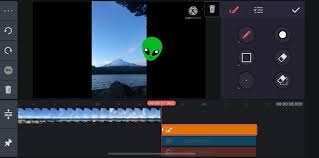
The Ultimate Guide to Editing Videos Online
Are you tired of using complicated video editing software? Do you want to edit your videos directly from the browser without any hassle? Look no further! In this article, we will explore the best online video editing platforms that make it easy to create professional-looking videos without any technical expertise.
Introduction
Editing videos can be a daunting task, especially for those who are not tech-savvy. However, with the rise of online video editing platforms, it has become easier than ever to edit and share your videos without any hassle. In this article, we will take you through some of the best online video editing platforms that offer free and paid plans, making it easy for anyone to create high-quality videos.
What Are Online Video Editing Platforms?
Online video editing platforms are web-based tools that allow users to edit and share their videos directly from a browser. These platforms provide a range of features, including video trimming, color correction, audio addition, and more. They often offer free and paid plans, with the latter providing additional features such as export options, resolution upgrades, and more.
Benefits of Using Online Video Editing Platforms
Using online video editing platforms offers several benefits, including:
- Convenience: Online video editing platforms can be accessed from anywhere, at any time, as long as you have an internet connection.
- Ease of Use: These platforms are often user-friendly and require no technical expertise to operate.
- Cost-effective: Many online video editing platforms offer free plans or affordable paid options, making it easier for individuals and businesses to edit their videos without breaking the bank.
The Best Online Video Editing Platforms
Here are some of the best online video editing platforms that you can use:
1. Kapwing
Kapwing is a popular online video editing platform that offers a range of features, including video trimming, color correction, audio addition, and more. It is free to use, but it applies a watermark to exported videos.
- Features: Video trimming, color correction, audio addition, text overlays, transitions, animations, and more.
- Export Options: MP4, AVI, MOV, GIF, and more.
- Resolution: Up to 1080p.
- Cost: Free, with optional paid plans.
2. Wevideo
WeVideo is another popular online video editing platform that offers a range of features, including video trimming, color correction, audio addition, text overlays, transitions, animations, and more. It is free to use, but it has limitations on export options and resolution.
- Features: Video trimming, color correction, audio addition, text overlays, transitions, animations, and more.
- Export Options: MP4, AVI, MOV, GIF, and more.
- Resolution: Up to 1080p.
- Cost: Free, with optional paid plans.
3. Clipchamp
Clipchamp is a user-friendly online video editing platform that offers a range of features, including video trimming, color correction, audio addition, text overlays, transitions, animations, and more. It is free to use, but it applies limitations on export options and resolution.
- Features: Video trimming, color correction, audio addition, text overlays, transitions, animations, and more.
- Export Options: MP4, AVI, MOV, GIF, and more.
- Resolution: Up to 1080p.
- Cost: Free, with optional paid plans.
4. Kizoa
Kizoa is a popular online video editing platform that offers a range of features, including video trimming, color correction, audio addition, text overlays, transitions, animations, and more. It is free to use, but it applies limitations on export options and resolution.
- Features: Video trimming, color correction, audio addition, text overlays, transitions, animations, and more.
- Export Options: MP4, AVI, MOV, GIF, and more.
- Resolution: Up to 1080p.
- Cost: Free, with optional paid plans.
5. Magisto
Magisto is a user-friendly online video editing platform that offers a range of features, including video trimming, color correction, audio addition, text overlays, transitions, animations, and more. It is free to use, but it applies limitations on export options and resolution.
- Features: Video trimming, color correction, audio addition, text overlays, transitions, animations, and more.
- Export Options: MP4, AVI, MOV, GIF, and more.
- Resolution: Up to 1080p.
- Cost: Free, with optional paid plans.
Conclusion
Editing videos online has never been easier. With the rise of online video editing platforms, anyone can create high-quality videos without any technical expertise. Whether you’re a beginner or an experienced editor, there’s a platform out there for you. So why wait? Sign up now and start editing your videos today!
Frequently Asked Questions
- Q: What Are The Benefits of Using Online Video Editing Platforms?
- A: Online video editing platforms offer several benefits, including convenience, ease of use, and cost-effectiveness.
- Q: Which Online Video Editing Platform is Best For Me?
- A: The best online video editing platform for you depends on your specific needs and preferences. Consider factors such as features, export options, resolution, and cost when choosing a platform.
- Q: Do Online Video Editing Platforms Have Limitations?
- A: Yes, many online video editing platforms have limitations on features, export options, and resolution. However, these limitations can often be circumvented by signing up for paid plans or using alternative software.
- Q: Can I Use Online Video Editing Platforms For Commercial Purposes?
- A: Some online video editing platforms offer free plans that are suitable for personal use only. For commercial purposes, you may need to sign up for a paid plan or use an alternative platform.
- Q: Are Online Video Editing Platforms Safe And Secure?
- A: Online video editing platforms are generally safe and secure, but it’s essential to read reviews and terms of service before signing up to ensure that the platform meets your specific needs and security requirements.


