
The Ultimate Guide to Graphic Design: 8 Top Sites to Create Stunning Visuals
Are you looking to create stunning graphics, illustrations, or presentations without breaking the bank? Look no further! In this article, we’ll explore the top 8 graphic design sites that offer a range of tools and features to help you achieve your creative goals.
Whether you’re a seasoned designer or a beginner, these sites have got you covered. From user-friendly interfaces to advanced editing tools, we’ve curated a list of the best graphic design platforms that are free, affordable, or offer a free trial period.
1. Canva – The Ultimate Graphic Design Platform
Canva is an all-in-one graphic design platform that offers a wide range of templates, design elements, and editing tools. With its user-friendly interface, you can create stunning graphics, presentations, social media posts, and more without any prior design experience.
Key Features:
- 700+ Templates for various designs
- 10M+ images, icons, and fonts
- Advanced editing tools
- Collaboration features
- Mobile app available
2. Adobe Express – A Powerful Graphic Design Tool
Adobe Express is a powerful graphic design tool that offers a range of features to help you create stunning visuals. With its intuitive interface, you can choose from various templates, add design elements, and edit your content with ease.
Key Features:
- 100+ Templates for various designs
- Advanced editing tools
- Collaboration features
- Mobile app available
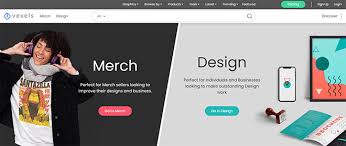
3. Vistacreate – A Comprehensive Graphic Design Platform
VistaCreate is a comprehensive graphic design platform that offers a wide range of templates, design elements, and editing tools. With its user-friendly interface, you can create stunning graphics, presentations, social media posts, and more without any prior design experience.
Key Features:
- 10K+ templates for various designs
- Advanced editing tools
- Collaboration features
- Mobile app available
4. Freepik – A Popular Graphic Design Platform
Freepik is a popular graphic design platform that offers a range of free resources, including vectors, photos, and fonts. With its user-friendly interface, you can create stunning graphics, presentations, social media posts, and more without any prior design experience.
Key Features:
- 10K+ free resources
- Advanced editing tools
- Collaboration features
- Mobile app available
5. Fotor – A User-friendly Graphic Design Tool
Fotor is a user-friendly graphic design tool that offers a range of features to help you create stunning visuals. With its intuitive interface, you can choose from various templates, add design elements, and edit your content with ease.
Key Features:
- 100+ Templates for various designs
- Advanced editing tools
- Collaboration features
- Mobile app available
6. Stencil – A Simple Graphic Design Platform
Stencil is a simple graphic design platform that offers a range of free resources, including templates, design elements, and editing tools. With its user-friendly interface, you can create stunning graphics, presentations, social media posts, and more without any prior design experience.
Key Features:
- 100+ Free resources
- Advanced editing tools
- Collaboration features
- Mobile app available
7. Snappa – A Creative Graphic Design Tool
Snappa is a creative graphic design tool that offers a range of features to help you create stunning visuals. With its user-friendly interface, you can choose from various templates, add design elements, and edit your content with ease.
Key Features:
- 100+ Templates for various designs
- Advanced editing tools
- Collaboration features
- Mobile app available
8. Crello – A Versatile Graphic Design Platform
Crello is a versatile graphic design platform that offers a range of features to help you create stunning visuals. With its user-friendly interface, you can choose from various templates, add design elements, and edit your content with ease.
Key Features:
- 100+ Templates for various designs
- Advanced editing tools
- Collaboration features
- Mobile app available
Conclusion:
Whether you’re a seasoned designer or a beginner, these graphic design sites have got you covered. From user-friendly interfaces to advanced editing tools, we’ve curated a list of the best graphic design platforms that are free, affordable, or offer a free trial period.
So, what are you waiting for? Start exploring these graphic design sites today and unlock your creative potential!
Frequently Asked Questions:
- What is The Best Graphic Design Site For Beginners?
Canva is an excellent choice for beginners due to its user-friendly interface and wide range of templates. - Which Graphic Design Platform Offers Advanced Editing Tools?
Adobe Express, VistaCreate, and Freepik offer advanced editing tools to help you create stunning visuals. - What is The Cost of a Premium Subscription on These Graphic Design Sites?
The cost varies depending on the site, but Adobe Express and VistaCreate offer premium subscriptions starting at $12/month. - Are There Any Mobile Apps Available For These Graphic Design Platforms?
Yes, most of these graphic design sites have mobile apps available for both iOS and Android devices. - Can I Collaborate With Others on my Graphic Designs Using These Platforms?
Yes, all the graphic design sites mentioned offer collaboration features to help you work with others in real-time. - What is The Purpose of Stencil?
Stencil is a simple graphic design platform that offers free resources and templates to help you create stunning visuals. - How do I Get Started With These Graphic Design Platforms?
You can start by signing up for a free account on each site, exploring their features, and creating your first project!


