
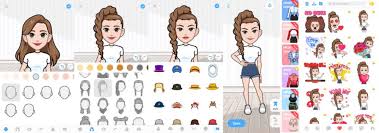
The Ultimate Guide to Creating Avatars Online: A Step-by-step Guide
Are you looking to unleash your creativity and create a digital alter ego? Do you want to explore the world of online avatars without needing extensive design skills? Look no further! In this comprehensive guide, we’ll take you through the best online platforms to create avatars, from simple cartoon-style characters to detailed 3D models.
What is an Avatar?
An avatar is a digital representation of yourself or a character that you can use in various online environments. It’s a way to express your personality and creativity while interacting with others online. Whether it’s for gaming, social media, or virtual reality experiences, avatars have become an essential part of our online presence.
Top Online Platforms to Create Avatars
- Ready Player Me
- Create 3D avatars from scratch or use a photo of yourself
- Personalize your avatar with various clothing options and accessories
- Access virtual worlds like VRChat and MeetinVR
- Character Creator
- A comprehensive online editor to create detailed avatars
- Modify facial features, hair, clothes, and more
- Generate a random avatar for inspiration
- Avataaars Generator
- Create simple cartoon-style avatars with minimal customization options
- Choose from various backgrounds and facial expressions
- Download your avatar in PNG or SVG format
Other Online Platforms to Explore
- Avatar Maker
- A user-friendly platform for creating detailed avatars
- Position, resize, and modify elements as desired
- Create dynamic avatars with different poses and emotions
- Free Vector
- Transform existing characters into dynamic, poseable models
- Perfect for adding animation or special effects to your avatar
- Cartoonify
- Create cartoon-style avatars with a wide range of customization options
- Personalize facial features, expressions, and more
Benefits of Creating Avatars Online
- Self-expression: Avatars allow you to express yourself in a digital format.
- Creativity: The process of creating an avatar can be a fun and creative outlet.
- Social Interaction: Avatars can help you connect with others online, fostering a sense of community and belonging.
- Immersive Experiences: Avatars enable you to participate in immersive online environments, such as virtual reality and gaming.
Tips For Creating The Perfect Avatar
- Start Simple: Begin with basic customization options and gradually add more details as desired.
- Experiment Freely: Don’t be afraid to try new things and make mistakes – they can often lead to unexpected creativity!
- Personalize Your Avatar: Make sure your avatar reflects your personality, interests, or style.
- Have Fun: The process of creating an avatar should be enjoyable and fulfilling.
Conclusion
Creating avatars online is a fun and creative way to express yourself in the digital world. With these top platforms and tips, you can unleash your imagination and create a unique digital alter ego that reflects your personality and style. Whether it’s for gaming, social media, or virtual reality experiences, avatars have become an essential part of our online presence.
Frequently Asked Questions (FAQs)
- Q: What is The Purpose of Creating an Avatar?
A: Avatars serve as digital representations of yourself or a character, allowing you to express your personality and creativity while interacting with others online. - Q: Can I Create Avatars For Free?
A: Yes, many online platforms offer free avatar creation tools, such as Ready Player Me and Avataaars Generator. - Q: How do I Access Virtual Worlds With my Avatar?
A: You can access virtual worlds like VRChat and MeetinVR using your avatar created on Ready Player Me or other compatible platforms. - Q: Can I Use my Avatar For Commercial Purposes?
A: Check the terms of service for each platform, as some may have restrictions on commercial use of avatars. - Q: How do I Download And Save my Avatar?
A: Follow the instructions provided by each platform to download and save your avatar in a suitable format (e.G., PNG or SVG). - Q: Can I Modify Existing Characters Into Dynamic, Poseable Models?
A: Yes, platforms like Free Vector allow you to transform existing characters into dynamic, poseable models. - Q: How do I Create Cartoon-style Avatars With a Wide Range of Customization Options?
A: Use platforms like Cartoonify or Avatar Maker to create cartoon-style avatars with various customization options. - Q: Can I Use my Avatar For Social Media Profiles?
A: Yes, you can use your avatar on social media profiles, but check the platform’s terms of service first.
I hope this comprehensive guide has helped you understand the world of online avatars and how to create them using various platforms!


