
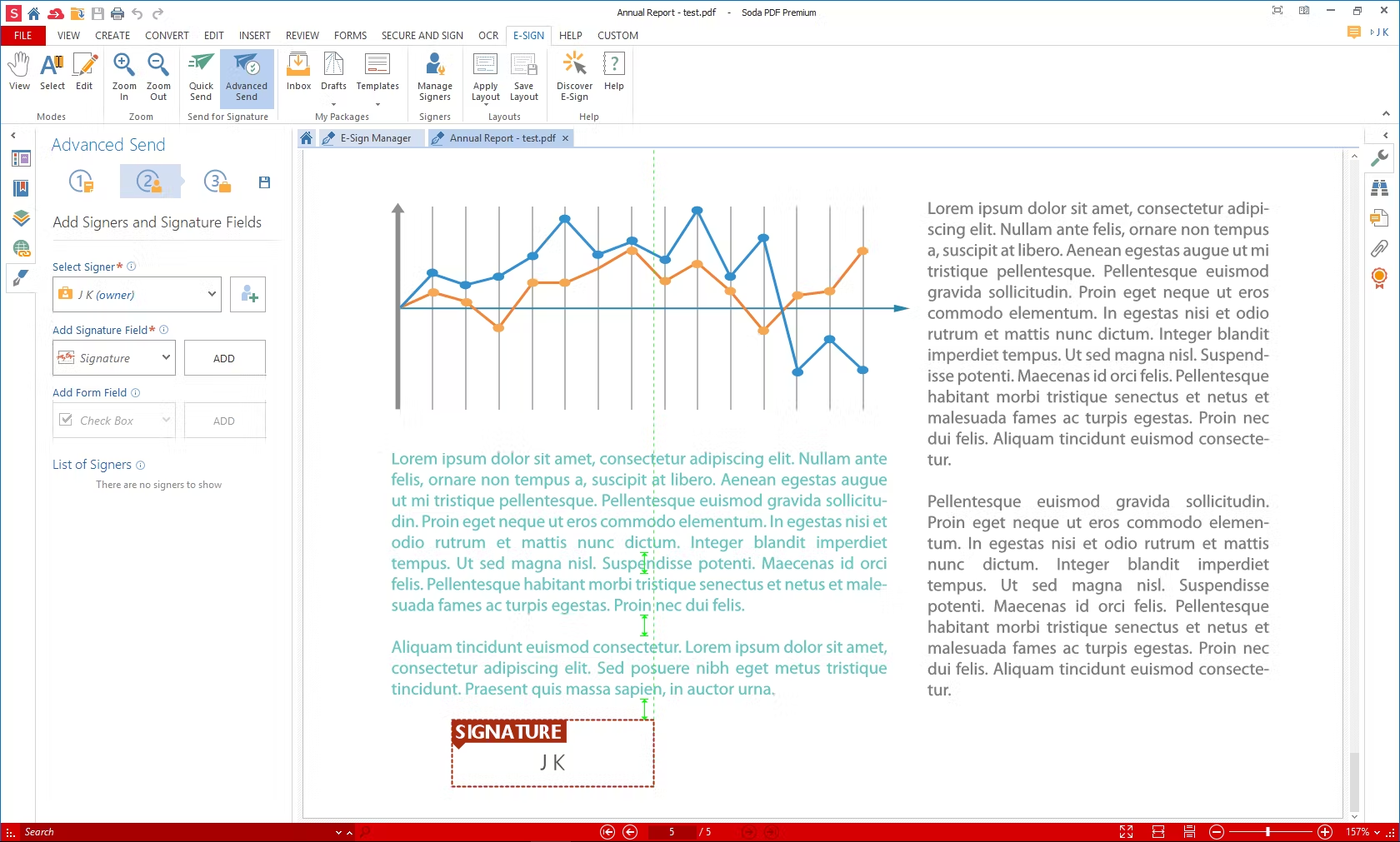
Soda Pdf: A Comprehensive Review
Are you tired of using complicated software to modify, join, convert, compress, sign, and protect your PDF documents? Look no further than Soda PDF, a user-friendly solution that makes it easy to work with PDF files in just a few clicks.
In this review, we’ll delve into the features and benefits of Soda PDF, including its desktop and online versions, pricing plans, and technical specifications. We’ll also explore how to use Soda PDF to modify, join, divide, convert, and protect PDF documents, as well as create forms and use the built-in OCR technology.
What is Soda Pdf?
Soda PDF is a software solution that allows users to modify, join, convert, compress, sign, and protect PDF files. It’s available in two versions: Desktop and online. The desktop version is compatible with Windows PCs, while the online version can be accessed from any device with a web browser.
Key Features of Soda Pdf
Here are some of the key features of Soda PDF:
- Modification: Add, modify, and delete text, images, and other elements in your PDF documents.
- Joining: Combine multiple PDF files into one.
- Dividing: Split a single PDF file into multiple smaller files.
- Conversion: Convert PDF files to various formats, including Word, Excel, PowerPoint, and image formats.
- Compression: Compress PDF files to reduce their size.
- Signing: Add digital signatures to your PDF documents for authentication and verification.
- Protection: Protect your PDF files with passwords and permissions.
How to Use Soda Pdf
Here’s a step-by-step guide on how to use Soda PDF:
- Download And Install: Download the desktop version of Soda PDF from the official website, or access the online version through your web browser.
- Create an Account: Sign up for a free account to access all the features of Soda PDF.
- Add Files: Upload the PDF files you want to modify or convert.
- Choose Features: Select the feature you want to use, such as modification, joining, dividing, conversion, compression, signing, or protection.
- Customize Options: Choose your preferred options for each feature.
Pricing Plans
Soda PDF offers various pricing plans to suit different needs and budgets:
- Free Plan: Access all features for free for 7 days with a basic account.
- Standard Plan: Get access to all features, including conversion, compression, signing, and protection, for $9.95/Month or $99.95/Year.
- Pro Plan: Add advanced features like inserting/extracting/deleting pages, comments, annotations, and digital signatures for $19.95/Month or $199.95/Year.
- Business Plan: Get access to all PRO plan features, plus OCR technology, signature binding, and technical assistance, for $29.95/Month or $299.95/Year.
Technical Specifications
Here are some technical specifications of Soda PDF:
- System Requirements: Windows 7 or later; internet connection required.
- Browser Compatibility: Compatible with all major web browsers.
- File Size Limitations: Maximum file size is 10 GB.
Conclusion
Soda PDF is a user-friendly and feature-rich software solution that makes it easy to modify, join, convert, compress, sign, and protect your PDF documents. With its affordable pricing plans and technical specifications, Soda PDF is an excellent choice for individuals and businesses looking to streamline their PDF workflow.
Frequently Asked Questions
Here are some frequently asked questions about Soda PDF:
- What is The Difference Between The Desktop And Online Versions of Soda Pdf?
The main difference is that the desktop version is a downloadable software, while the online version can be accessed from any device with a web browser. - Can I Use Soda Pdf For Free?
Yes, you can use Soda PDF for free for 7 days with a basic account. After that, you’ll need to upgrade to a paid plan to access all features. - Is Soda Pdf Compatible With Macs?
No, Soda PDF is currently only compatible with Windows PCs.
I hope this review has provided you with a comprehensive understanding of Soda PDF and its capabilities. If you have any further questions or concerns, please don’t hesitate to ask!


