
Creating Perfect Subtitles: A Guide
Are you tired of watching your favorite videos or TV shows with poor subtitles? Do you want to create high-quality subtitles that enhance the viewing experience? Look no further! In this article, we’ll explore the best programs for creating perfect subtitles.
Why is it Important to Have Good Subtitles?
Good subtitles are essential for a smooth viewing experience. They help viewers understand the content of the video or TV show, especially when it’s in a foreign language. Poor subtitles can be distracting and even make the viewer miss important details.
The Best Programs For Creating Perfect Subtitles
- Vlc: VLC is a popular media player that also offers subtitle editing capabilities. It’s available for Windows, Mac, and Linux platforms.
- Amberscript: Amberscript is an online service that allows you to create automatic transcriptions of audio or video files. You can then edit the subtitles manually.
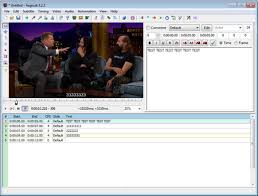
- Aegisub Advanced Subtitle Editor: Aegisub is a powerful subtitle editing software available for Windows and Mac. It offers advanced features like timing control and synchronization with video files.
How to Use Vlc For Creating Perfect Subtitles
VLC is an excellent media player that also allows you to create perfect subtitles. Here’s how to do it:
- Download Vlc: First, download the latest version of VLC from its official website.
- Open Vlc: Once downloaded, open VLC and click on the “Media” menu.
- Select Video File: Browse for the video file that you want to add subtitles to.
- Open Subtitles Menu: Click on the “Subtitles” menu and select “Add Subtitle”.
- Choose Subtitle Format: Choose the subtitle format that suits your needs. VLC supports various formats like SRT, VTT, and EBU-STL.
How to Use Amberscript For Creating Perfect Subtitles
Amberscript is an online service that allows you to create automatic transcriptions of audio or video files. Here’s how to use it:
- Create Amberscript Account: First, sign up for an Amberscript account.
- Upload Video File: Upload the video file that you want to add subtitles to.
- Choose Audio Language: Choose the language of the audio in the video file.
- Transcribe Audio: Transcribe the audio by clicking on the “Transcribe” button.
How to Use Aegisub For Creating Perfect Subtitles
Aegisub is a powerful subtitle editing software available for Windows and Mac. Here’s how to use it:
- Download Aegisub: First, download the latest version of Aegisub from its official website.
- Open Aegisub: Once downloaded, open Aegisub and click on the “File” menu.
- Select Video File: Browse for the video file that you want to add subtitles to.
- Open Subtitles Menu: Click on the “Subtitles” menu and select “Add Subtitle”.
Other Useful Programs For Creating Perfect Subtitles
In addition to VLC, Amberscript, and Aegisub, there are other useful programs available for creating perfect subtitles. These include:
- Subtitle Workshop: A subtitle editing software that allows you to create and edit subtitles.
- Visualsubsync: A powerful tool that helps synchronize subtitles with video files.
Conclusion
Creating perfect subtitles is essential for a smooth viewing experience. In this article, we’ve explored the best programs for creating perfect subtitles, including VLC, Amberscript, and Aegisub. We’ve also looked at other useful programs like Subtitle Workshop and VisualSubSync. By following the steps outlined in this guide, you can create high-quality subtitles that enhance your viewing experience.
Frequently Asked Questions
- What is The Best Program For Creating Perfect Subtitles?
- The best program for creating perfect subtitles depends on your specific needs. VLC is a good option if you want to edit subtitles directly within a media player.
- How do I Use Amberscript For Creating Perfect Subtitles?
- To use Amberscript, sign up for an account, upload the video file, choose the audio language, and transcribe the audio.
- What Are Some Other Useful Programs For Creating Perfect Subtitles?
- Other useful programs include Subtitle Workshop and VisualSubSync.
Conclusion
Creating perfect subtitles is essential for a smooth viewing experience. In this article, we’ve explored the best programs for creating perfect subtitles, including VLC, Amberscript, and Aegisub. By following the steps outlined in this guide, you can create high-quality subtitles that enhance your viewing experience.
References:
- “VLC – The Free Media Player”
- “Amberscript – Automatic Transcription Service”
- “Aegisub Advanced Subtitle Editor”
This article has been written to help users find the best program for creating perfect subtitles.


