
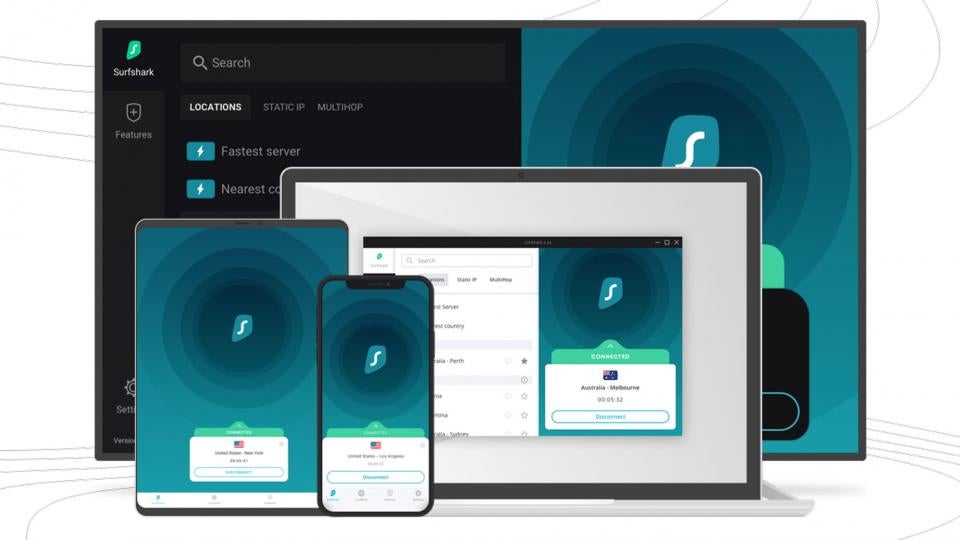
Unlocking Online Freedom: A Review of Surfshark Vpn
Are you tired of feeling like your online activities are being watched? Do you want to surf the internet without fear of censorship or surveillance? Look no further than Surfshark, a powerful and user-friendly Virtual Private Network (VPN) service that will change the way you experience the online world.
What is Surfshark Vpn?
Surfshark is a cutting-edge VPN solution that provides users with unparalleled security, anonymity, and freedom to navigate the internet without restrictions. With its advanced 256-bit encryption technology, Surfshark creates a secure tunnel between your device and the internet, protecting you from malicious actors, hackers, and even your ISP.
Key Features of Surfshark Vpn
- Unlimited Device Support: Use Surfshark on up to 5 devices simultaneously, perfect for families or individuals with multiple devices.
- Advanced Encryption: Enjoy top-notch security with 256-bit encryption, protecting you from cyber threats and eavesdropping.
- No Logs Policy: Surfshark doesn’t keep any logs of your online activities, ensuring your anonymity is respected.
- Kill Switch: Automatically disconnects your internet connection if the VPN drops, preventing data leaks.
- Cleanweb: Blocks ads, trackers, and malware to give you a cleaner browsing experience.
How Does Surfshark Work?
- Sign Up: Create an account on the Surfshark website or use their app to register.
- Download And Install: Get the Surfshark client for your device (Windows, Mac, Linux, Android, iOS, etc.).
- Connect to a Server: Choose from over 1700 servers in 63 countries to connect to a VPN server.
- Enjoy Secure Browsing: Surf the internet with peace of mind, knowing your data is encrypted and protected.
Using Surfshark on Different Devices
- PC (Windows/Mac/Linux): Use the Surfshark client or browser extension to connect to a VPN server.
- Smartphone And Tablet (Android/iOS): Download the Surfshark app from the App Store or Google Play Store.
- Other Devices (Fire Tv, Apple Tv, Smart Tvs): Use the DNS feature to enjoy secure browsing on these devices.
Pricing And Plans
Surfshark offers competitive pricing plans:
- 1-Year Subscription: €4.20/Month
- 2-Year Subscription: €3.49/Month
- Monthly Subscription: €16.00/Month
Additionally, you can add extra features like HackLock (email protection) and BlindSearch (anonymous browsing) for just $0.89/Month.
Conclusion
Surfshark VPN is a powerful tool that empowers users to take control of their online freedom. With its advanced encryption technology, unlimited device support, and user-friendly interface, Surfshark is the perfect solution for individuals seeking secure browsing experiences. Don’t wait – unlock your online freedom with Surfshark today!
Frequently Asked Questions (FAQs)
- Is Surfshark Vpn Safe to Use?
Yes, Surfshark uses top-notch encryption and has a no-logs policy to ensure your safety. - Can I Use Surfshark on Multiple Devices?
Yes, you can use Surfshark on up to 5 devices simultaneously. - How Many Servers Does Surfshark Have?
Surfshark has over 1700 servers in 63 countries. - Does Surfshark Keep Logs of my Online Activities?
No, Surfshark doesn’t keep any logs of your online activities, ensuring your anonymity is respected. - Can I Use Surfshark on Public Wi-fi Networks?
Yes, Surfshark encrypts your internet connection, making it safe to use on public Wi-Fi networks. - Does Surfshark Offer a Free Trial?
Yes, you can try Surfshark for free before committing to a subscription plan. - How do I Contact Surfshark Support?
You can reach out to Surfshark’s 24/7 support team via email or live chat. - Can I Cancel my Surfshark Subscription at Any Time?
Yes, you can cancel your subscription at any time with a simple refund request.


