
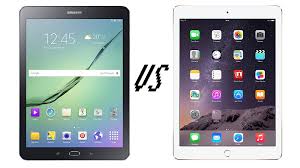
The Ultimate Guide to Comparing Tablets: A Comprehensive Review
Are you in the market for a new tablet, but not sure which one to choose? With so many options available, it can be overwhelming to decide which device is best for your needs. In this article, we will explore the various ways to compare tablets, highlighting the benefits and features of each method.
Why Compare Tablets?
Comparing tablets is essential to ensure you get the best device for your requirements. With so many options available, it’s easy to get lost in the sea of information. By comparing different tablets, you can:
- Identify the strengths and weaknesses of each device
- Determine which features are most important to you
- Make an informed decision based on your needs
Method 1: Using Versus
Versus is a popular website that allows users to compare two or more devices side-by-side. To use this method, simply visit the Versus website and type in the names of the tablets you want to compare in the search bar. Select the devices from the list, and Versus will generate a comparison chart highlighting their key features.
Method 2: Using Gsmarena
GSMArena is another popular platform that allows users to compare smartphones and tablets. To use this method, visit the GSMArena website and click on the “Phone Finder” tab. Select the brand of your preferred tablet, and then choose the specific model you want to compare. GSMArena will generate a detailed comparison chart highlighting the key features of each device.
Method 3: Using Productchart
ProductChart is a dedicated website that allows users to compare various devices, including tablets. To use this method, visit the ProductChart website and click on the “Tablets” tab. Select the specific technical specifications you’re interested in, such as processor speed or storage capacity, and ProductChart will generate a comparison chart highlighting the key features of each device.
Method 4: Using Kimovil
Kimovil is another popular platform that allows users to compare various devices, including tablets. To use this method, visit the Kimovil website and click on the “Compare” tab. Select the devices you want to compare by typing in their names in the search bar, and Kimovil will generate a comparison chart highlighting their key features.
Method 5: Using Sos Tariffe
SOS Tariffe is a platform that allows users to compare bids for various devices, including tablets. To use this method, visit the SOS Tariffe website and click on the “Mobile Telephony” tab. Select the device you’re interested in, and then choose the specific bid plan you want to compare. SOS Tariffe will generate a comparison chart highlighting the key features of each bid.
Tips For Effective Comparison
When comparing tablets, keep the following tips in mind:
- Identify your needs: Before comparing devices, determine what features are most important to you.
- Research thoroughly: Take the time to research and read reviews from various sources.
- Compare apples-to-apples: Ensure that the comparison chart is displaying the same specifications for each device.
Conclusion
Comparing tablets can be a daunting task, but with these methods and tips, you’ll be well-equipped to make an informed decision. Remember to consider your needs, research thoroughly, and compare apples-to-apples when comparing devices. By doing so, you’ll find the perfect tablet that meets your requirements.
Faqs
- What Are The Benefits of Using Versus?
- Versus allows users to compare two or more devices side-by-side, highlighting their key features.
- How do I Use Gsmarena to Compare Tablets?
- Visit the GSMArena website and click on the “Phone Finder” tab, select the brand and model of your preferred tablet, and then generate a comparison chart.
- What is Productchart, And How Can it Help Me?
- ProductChart is a dedicated website that allows users to compare various devices, including tablets. Select the specific technical specifications you’re interested in, and ProductChart will generate a comparison chart highlighting the key features of each device.
- How do I Use Kimovil to Compare Tablets?
- Visit the Kimovil website and click on the “Compare” tab, select the devices you want to compare by typing in their names in the search bar, and Kimovil will generate a comparison chart highlighting their key features.
- What is Sos Tariffe, And How Can it Help Me?
- SOS Tariffe is a platform that allows users to compare bids for various devices, including tablets. Select the device you’re interested in and choose the specific bid plan you want to compare.


