
How to Cancel Your Telecom Contract: A Step-by-step Guide
Are you tired of your current telecom contract? Do you want to cancel it without incurring any penalties or additional costs? Look no further! This article will guide you through the process of canceling your Telecom contract, and we’ll also explore some alternative options.
Understanding Your Rights
Before we dive into the steps, let’s quickly review your rights as a telecom customer. According to Italian law, you have the right to cancel your contract within 14 days of signing it (known as the “right of withdrawal”). If you exercise this right, you won’t be charged any penalties or additional costs.
Step 1: Check Your Contract
The first step is to review your contract and understand its terms. Look for the section that outlines the cancellation procedure and any applicable fees. This will give you an idea of what to expect during the cancellation process.
How to Cancel Your Telecom Contract
Now that we’ve covered the basics, let’s move on to the steps involved in canceling your Telecom contract:
Canceling Within 14 Days (Right of Withdrawal)
If you want to cancel your contract within 14 days, you can do so by:
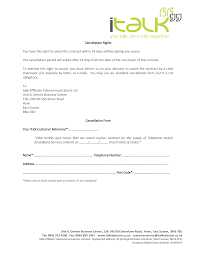
- Completing a Form: You’ll need to fill out a specific form for canceling your contract within the 14-day window.
- Returning Equipment: Make sure to return any equipment provided by Telecom, such as modems or phones, within 30 days of cancellation.
Canceling After 14 Days
If you’ve exceeded the 14-day window, you’ll need to follow a different procedure:
- Complete a Different Form: Fill out a separate form for canceling your contract after the 14-day period.
- Return Equipment: As before, return any equipment provided by Telecom within 30 days of cancellation.
- Pay Any Applicable Fees: Be prepared to pay any applicable fees for deactivating your line or migrating to another provider.
Canceling Due to Death (Form For Demise)
In the unfortunate event of a family member’s passing, you can cancel their Telecom contract using a specialized form:
- Complete The Form: Fill out the form specifically designed for canceling contracts due to death.
- Return Equipment: Return any equipment provided by Telecom within 30 days of cancellation.
Canceling Your Business Contract
If you’re canceling your business contract with Telecom, follow these steps:
- Review General Conditions: Check the general conditions of your business contract for specific procedures.
- Complete a Form: Fill out the designated form for canceling your business contract.
- Return Equipment: Return any equipment provided by Telecom within 30 days of cancellation.
Additional Tips And Resources
- Make sure to keep a copy of your identity document handy when canceling your contract.
- If you’re experiencing difficulties during the cancellation process, don’t hesitate to contact Telecom’s customer support team for assistance.
- You can also refer to Telecom’s official website or visit one of their authorized shops for more information.
Conclusion
Canceling your Telecom contract might seem daunting at first, but with this guide, you should be well-equipped to navigate the process. Remember to review your contract, follow the steps outlined above, and return any equipment provided by Telecom within the specified timeframe. If you have any further questions or concerns, feel free to reach out.
Frequently Asked Questions (FAQs)
- Q: What is The Right of Withdrawal, And How Does it Apply to Me?
A: The right of withdrawal allows you to cancel your contract within 14 days without incurring any penalties or additional costs. - Q: How do I Return Equipment Provided by Telecom?
A: You’ll need to return any equipment, such as modems or phones, within 30 days of cancellation. - Q: Can I Cancel my Business Contract Online?
A: No, you’ll need to follow a different procedure for canceling your business contract. Contact Telecom’s customer support team for assistance. - Q: What Are The Applicable Fees For Deactivating my Line or Migrating to Another Provider?
A: The fees vary depending on the situation and may include a one-time payment of up to 30 euros for deactivating your line or 5 euros for migration to another provider. - Q: Can I Cancel my Contract if I’ve Exceeded The 14-day Window?
A: Yes, you can still cancel your contract after the 14-day period has passed. However, you may be required to pay applicable fees and return equipment within 30 days of cancellation. - Q: How do I Complete a Form For Canceling my Contract?
A: Follow the steps outlined in this article or contact Telecom’s customer support team for assistance. - Q: Can I Cancel my Contract Due to Death Using a Specialized Form?
A: Yes, you can use a specific form designed for canceling contracts due to death. - Q: Where Can I Find Additional Information About Canceling my Telecom Contract?
A: You can refer to Telecom’s official website or visit one of their authorized shops for more information.
I hope this article has provided you with the necessary guidance and resources to cancel your Telecom contract with confidence!


