
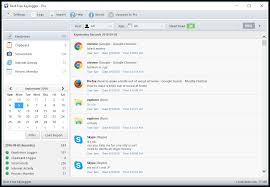
The Best Keylogger Free: A Comprehensive Guide
Are you tired of wondering what your kids or employees are doing on their computers when you’re not around? Do you want to monitor their activity without them knowing? Look no further! In this article, we’ll explore the best keyloggers free available for Windows and macOS.
What is a Keylogger?
A keylogger is a software that records all the keystrokes made on a computer, including passwords, chat conversations, and more. It’s like having a hidden observer watching everything you do on your computer. But don’t worry, we’ll show you how to use it responsibly.
The Best Keyloggers Free For Windows
- Spyrix Keylogger (Windows/macOS)
Spyrix Keylogger is one of the best keyloggers free available for Windows and macOS. It records all keystrokes, mouse clicks, and program launches. You can also monitor web browsing history, chat conversations, and more.
- How to Use: Download and install Spyrix Keylogger from their official website. Follow the setup instructions to configure the software.
-
Features: Record keystrokes, mouse clicks, program launches, web browsing history, chat conversations, and more.
-
Refog Free Keylogger (Windows/macOS)
Refog Free Keylogger is another popular keylogger for Windows and macOS. It records all keystrokes, program launches, and web browsing history. You can also monitor chat conversations and more.
- How to Use: Download and install Refog Free Keylogger from their official website. Follow the setup instructions to configure the software.
-
Features: Record keystrokes, program launches, web browsing history, chat conversations, and more.
-
Revealer Keylogger Free (Windows)
Revealer Keylogger Free is a lightweight keylogger for Windows that records all keystrokes, program launches, and web browsing history. You can also monitor chat conversations and more.
- How to Use: Download and install Revealer Keylogger Free from their official website. Follow the setup instructions to configure the software.
- Features: Record keystrokes, program launches, web browsing history, chat conversations, and more.
Other Keyloggers Free
- Wolfeye Remote Screen (Windows)
Wolfeye Remote Screen is a software that allows you to monitor remote activity on your computer in real-time. It records all keystrokes, mouse clicks, and program launches.
- Cost: $97/Year per device
-
Features: Record keystrokes, mouse clicks, program launches, and more.
-
Elite Keylogger (Windows/macOS)
Elite Keylogger is a software that monitors keyboard activity and application usage on Windows and macOS. It records all keystrokes, program launches, and more.
- Cost: $79/Year on Windows, $49/year on macOS
-
Features: Record keystrokes, program launches, and more.
-
Free Keylogger (Windows)
Free Keylogger is a free software that monitors keyboard activity and application usage on Windows. It records all keystrokes, program launches, and more.
- Cost: Free
- Features: Record keystrokes, program launches, and more.
Conclusion
Monitoring computer activity can be beneficial for parents, employers, or individuals who want to keep track of their own online behavior. In this article, we’ve explored the best keyloggers free available for Windows and macOS. Remember to use these software responsibly and always follow local laws and regulations.
Frequently Asked Questions (FAQs)
- Q: Is Using a Keylogger Illegal?
A: Using a keylogger without consent is generally considered an invasion of privacy and may be against the law in some jurisdictions.
- Q: Can I Use a Keylogger on my Own Computer?
A: Yes, you can use a keylogger on your own computer to monitor your own activity or that of your family members.
- Q: How do I Choose The Best Keylogger For Me?
A: Choose a keylogger that meets your specific needs and requirements. Consider factors such as cost, features, and compatibility with your operating system.
- Q: Can I Use a Keylogger on Multiple Devices at Once?
A: Some keyloggers allow you to monitor multiple devices at once, but others may require separate installations and configurations.
- Q: How do I Uninstall a Keylogger if I no Longer Need It?
A: Follow the instructions provided by the keylogger’s manufacturer or uninstaller to remove the software from your computer.
- Q: Can a Keylogger be Used For Malicious Purposes?
A: Yes, some individuals may use keyloggers for malicious purposes such as stealing passwords or monitoring someone’s activity without consent.
- Q: How do I Protect Myself From Being Monitored by Someone Else Using a Keylogger?
A: Use strong passwords, enable two-factor authentication, and regularly scan your computer for malware to prevent unauthorized access.
- Q: Can a Keylogger be Used on Mobile Devices?
A: Some keyloggers can be used on mobile devices, but others may not be compatible or may require additional software installations.


