
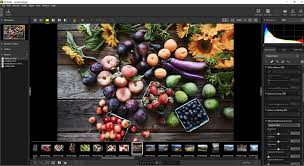
The Ultimate Guide to Photo Editing: Top Programs For Free And Professional Use
Are you looking for ways to enhance your photos without breaking the bank? Look no further! In this comprehensive guide, we’ll explore the best programs for photo editing, both free and professional. Whether you’re a beginner or a seasoned photographer, this article will provide you with the knowledge to take your photography skills to the next level.
What Are The Best Programs For Photo Editing?
There are numerous programs available for photo editing, each with its own unique features and price points. Let’s start by exploring some of the top free programs:
Free Programs For Photo Editing
GIMP (Windows/MacOS/Linux)
GIMP is a powerful and feature-rich program that offers many advanced tools for photo editing. With a vast range of filters, effects, and instruments, GIMP is an excellent alternative to Adobe Photoshop.
Paint.NET (Windows)
Paint.NET is another free program that allows you to edit photos with ease. Its intuitive interface and user-friendly design make it perfect for beginners.
IrfanView (Windows)
IrfanView is a lightweight and easy-to-use program that’s ideal for simple photo editing tasks. It supports various image formats and offers some basic editing tools.
Professional Programs For Photo Editing
If you’re looking for more advanced features, consider the following professional programs:
Photoshop (Windows/MacOS)
Adobe Photoshop is the industry-standard program for photo editing. Its extensive range of tools and features make it an essential tool for professionals and serious enthusiasts.
Affinity Photo (Windows/MacOS)
Affinity Photo is a powerful and feature-rich program that’s designed to compete with Adobe Photoshop. It offers advanced tools, filters, and effects for professional-grade photo editing.
Online Programs For Photo Editing
If you’re looking for programs that can be accessed directly from your browser, consider the following online options:
Photopea
Photopea is a web-based program that allows you to edit photos without installing any software. Its user-friendly interface and range of tools make it an excellent choice for beginners.
Pixlr X
Pixlr X is another web-based program that offers some basic photo editing tools. It’s perfect for simple tasks, but lacks the advanced features of other programs.
Mobile Apps For Photo Editing
For those who prefer to edit photos on-the-go, consider the following mobile apps:
Adobe Photoshop Express (Android/iOS)
This app allows you to access many of Adobe Photoshop’s features directly from your smartphone or tablet. Its user-friendly interface and range of tools make it an excellent choice for beginners.
The Best Programs For Photo Editing on Smartphone And Tablet
If you’re looking for apps that can be accessed directly from your smartphone or tablet, consider the following options:
Google Photos (Android/iOS)
This app offers some basic photo editing tools, as well as advanced features like AI-powered filters and effects.
Snapseed (Android/iOS)
Snapseed is another app developed by Google that’s designed specifically for photo editing. Its user-friendly interface and range of tools make it an excellent choice for beginners.
The Ultimate Guide to Photo Editing: Conclusion
In conclusion, this article has provided you with a comprehensive guide to the best programs for photo editing. Whether you’re a beginner or a seasoned photographer, there’s something here for everyone. Remember, practice makes perfect, so don’t be afraid to experiment and try out different techniques.
Frequently Asked Questions (FAQs)
Q: What are some of the top free programs for photo editing?
A: Some of the top free programs include GIMP, Paint.NET, IrfanView, and Photopea.
Q: Which program is best suited for beginners?
A: Photopea and Snapseed are excellent choices for beginners due to their user-friendly interfaces and range of tools.
Q: Is Adobe Photoshop worth the investment?
A: Yes, if you’re a serious photographer or require advanced features, Adobe Photoshop is an excellent choice. However, it’s not necessary for simple editing tasks.
Q: Can I edit photos on my smartphone or tablet?
A: Yes, there are several apps available that allow you to edit photos directly from your mobile device.
Q: What are some of the key differences between online and offline programs?
A: Online programs like Photopea can be accessed directly from a browser without installing any software. Offline programs, on the other hand, require installation and may have more advanced features.
Q: How do I access Adobe Photoshop Express on my mobile device?
A: To access Adobe Photoshop Express on your mobile device, download the app from the App Store (iOS) or Google Play Store (Android).
Q: What are some of the top programs for professional photo editing?
A: Some of the top programs include Adobe Photoshop, Affinity Photo, and CorelDRAW Graphics Suite.
Q: Can I use a program like GIMP to edit my photos professionally?
A: Yes, while GIMP is an excellent free alternative, it may not have all the advanced features required for professional photo editing.


