
UTorrent is a popular P2P software that allows users to download files from other users’ computers using the BitTorrent protocol. In this guide, we’ll cover how to download and configure uTorrent on Windows or Mac computers, as well as using it on Android devices.
Downloading Utorrent
To get started with uTorrent, follow these steps:
- Windows: Download the Classic version from the official website.
- Mac: Download the Web version, which is compatible with macOS Catalina and later.
Configuring Utorrent
Once you’ve downloaded uTorrent, configure it for optimal performance by following these tips:
- Windows:
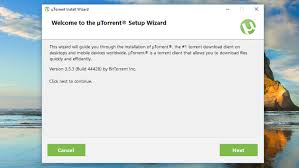
- Open the executable file and follow the prompts.
- Select “Yes” when asked if you want to install uTorrent.
- Choose the installation location and click “Next.”
- Select the components to install and click “Next.”
- Click “Finish” to complete the installation.
- Mac: Open the dmg file and follow the prompts.
Configuring Your Router
To use uTorrent, configure your router to allow incoming connections by following these steps:
- Windows:
- Open a browser and navigate to your router’s IP address (usually 192.168.0.1 Or 192.168.1.1).
- Log in with your admin credentials.
- Look for the “Port Forwarding” or “Virtual Server” section.
- Create a new rule and select the protocol as TCP/UDP.
- Enter the port number (usually 6881-6999) and click “Apply.”
- Mac: Follow the same steps as Windows.
Using Utorrent on Android
While uTorrent is primarily designed for desktop use, you can also use it on your Android device by following these steps:
- Download the official app from the Play Store.
- Open the app and grant necessary permissions.
- Search for files using the built-in search engine.
- Select a file to download and click “Download.”
Troubleshooting
If you encounter any issues while using uTorrent, refer to these common solutions:
- Connection Issues: Check your internet connection and ensure that your router is configured correctly.
- Slow Downloads: Try increasing the number of connections or adjusting the speed settings.
- Error Messages: Refer to the official documentation for troubleshooting guides.
Conclusion
This guide provides a comprehensive overview of how to download and configure uTorrent on Windows or Mac computers, as well as using it on Android devices. By following these steps, you’ll be able to take advantage of uTorrent’s powerful features and quickly download large files.


