
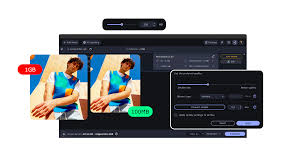
The Ultimate Guide to Video Compression Apps
Are you tired of running out of storage space on your mobile device due to large video files? Do you want to share videos with friends and family without sacrificing quality? Look no further! In this article, we’ll explore the best video compression apps for Android and iOS devices.
What Are Video Compression Apps?
Video compression apps are software programs that allow you to reduce the size of your video files, making them easier to store and share. These apps use various algorithms to compress the video data without sacrificing too much quality.
Benefits of Using Video Compression Apps
- Save Storage Space: By compressing video files, you can free up space on your device for other essential apps and files.
- Share Videos Easily: Compressed videos are lightweight and easy to share via email, messaging apps, or social media platforms.
- Reduce Video Size: Compression apps enable you to reduce the size of your video files without compromising quality.
Top Video Compression Apps For Android
- Video Converter & Compressor (Android/iOS/iPadOS)
This app is a one-stop solution for all your video editing needs. With its user-friendly interface, you can compress videos, convert formats, and even trim unwanted parts. The premium version offers additional features like ad removal and speed boost.
- Features: Video compression, conversion, trimming, and format support
-
Price: Free (with in-app purchases)
-
Compress Video Size (Android/iOS/iPadOS)
This app is designed specifically for video compression, making it easy to use and navigate. With its customizable options, you can adjust resolution, quality, and frame rate to suit your needs.
- Features: Video compression, format support, and customization options
-
Price: Free (with in-app purchases)
-
Video Compress (Android)
This app is a simple yet effective video compressor that supports various formats. With its user-friendly interface, you can compress videos without worrying about technicalities.
- Features: Video compression, format support, and simplicity
- Price: Free (with ads)
Top Video Compression Apps For Ios
- Video Converter & Compressor (Android/iOS/iPadOS)
This app is also available on iOS devices, offering the same features as its Android counterpart.
- Features: Video conversion, compression, trimming, and format support
-
Price: Free (with in-app purchases)
-
Compress Video Size (Android/iOS/iPadOS)
This app is designed specifically for video compression, making it easy to use and navigate on iOS devices.
- Features: Video compression, format support, and customization options
- Price: Free (with in-app purchases)
Other Notable Mention
- Panda Video Compressor (Android)
This free app offers a range of features, including video compression, trimming, and audio extraction. Its user-friendly interface makes it easy to use.
- Features: Video compression, trimming, audio extraction, and format support
- Price: Free (with ads)
Tips For Choosing The Right App
- Check Compatibility: Ensure the app is compatible with your device’s operating system.
- Read Reviews: Look up user reviews to gauge the app’s effectiveness and ease of use.
- Consider Features: Choose an app that offers the features you need, such as video compression, trimming, or format support.
Conclusion
Video compression apps are a game-changer for anyone struggling with storage space on their mobile device. By compressing video files, you can free up space and share videos easily with friends and family. With so many options available, it’s essential to choose the right app that meets your needs. Try out some of these top-rated apps today and experience the convenience of video compression!
Frequently Asked Questions (FAQs)
-
Q: What is Video Compression?
A: Video compression reduces the size of video files by removing unnecessary data. -
Q: Why do I Need Video Compression?
A: Video compression helps free up storage space on your device, making it easier to store and share videos. -
Q: Which App Should I Choose?
A: Choose an app that meets your specific needs, considering factors like compatibility, features, and user reviews. -
Q: Can I Compress Videos Without Losing Quality?
A: Yes, many video compression apps allow you to adjust settings to maintain or even improve video quality. -
Q: Are Video Compression Apps Free?
A: Some apps offer free versions with limited features or ads, while others require in-app purchases for premium features. -
Q: Can I Use Video Compression Apps on Multiple Devices?
A: Yes, many apps are available across various platforms, including Android and iOS devices. -
Q: Do Video Compression Apps Support Different Formats?
A: Yes, most apps support various video formats, such as MP4, AVI, and MOV. -
Q: Can I Trim or Edit Videos Using These Apps?
A: Some apps offer additional features like trimming, editing, or audio extraction beyond basic video compression.


