
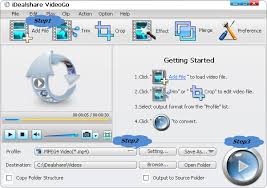
Converting Videos: A Comprehensive Guide
Are you tired of struggling to convert your videos to a format that’s compatible with your tablet or smartphone? Look no further! In this article, we’ll explore the best video converters available for Windows, macOS, and Linux, as well as online services and mobile apps.
Why Convert Your Videos?
Converting your videos is essential if you want to share them on social media, watch them on your tablet or smartphone, or even use them for educational purposes. With so many different devices and platforms out there, it’s not always easy to find a video converter that meets your needs.
Best Video Converters For Windows, Macos, And Linux
- Adapter (Windows/macOS): This free software is a great all-around converter that can handle various file formats, including MP4, MKV, and AVI.
- Handbrake (Windows/macOS/Linux): A popular open-source converter that supports multiple formats, including MP4, MKV, and AVI.
- Mobile Media Converter (Windows/macOS/Linux): A free software that can convert various file formats, including video, audio, and images.
Online Video Converters
- Converter Video of 123apps: A web-based service that allows you to upload your videos and convert them into various formats.
- Cloudconvert: An all-in-one converter that supports multiple file types, including video, audio, text, and images.
- Convertio: A simple online converter that can handle MP4 to MP3 conversions.
Mobile Apps For Video Conversion
- Media Converter (Android): A free app that allows you to convert videos on your Android device.
- The Converter Video (iOS/iPadOS): A dedicated app for iOS and iPadOS devices that offers various conversion options.
How to Use These Converters
Each converter has its own set of instructions, but we’ll provide a brief overview of how to use them:
- Adapter: Download the software, select your video file, choose the output format, and click “Convert.”
- Handbrake: Select your video file, choose the output format, and adjust settings as needed.
- Mobile Media Converter: Select your video file, choose the output format, and adjust settings as needed.
Tips And Tricks
- Always check the compatibility of your device with the converted file format.
- Use online converters only for small files or if you’re in a hurry.
- Be cautious when using free software, as some may have limitations or ads.
- Experiment with different conversion options to find the best one for your needs.
Conclusion
Converting videos can be a breeze if you have the right tools and knowledge. With this comprehensive guide, you should now be able to choose the best video converter for your needs and share your favorite videos on any device or platform.
Faqs
- What is The Best Video Converter For Windows?
- Adapter is a great all-around converter that can handle various file formats.
- Can I Convert Videos Online?
- Yes, there are several online services available, including Converter Video of 123apps and CloudConvert.
- How do I Use The Converter Video App on my Iphone or Ipad?
- Simply download the app from the App Store, select your video file, choose the output format, and click “Convert.”
- Can I Convert Videos to Audio Formats?
- Yes, some converters allow you to extract audio from video files.
- How do I Know Which Conversion Option is Best For Me?
- Experiment with different options to find the one that works best for your device and needs.
- Are These Converters Free?
- Some are free, while others may have limitations or require a subscription.
- Can I Convert Videos in Batch Mode?
- Yes, some converters allow you to convert multiple files at once.
- How do I Know if my Device is Compatible With The Converted File Format?
- Always check the compatibility of your device before converting videos.
We hope this article has been helpful! If you have any further questions or need more assistance, feel free to ask.


