
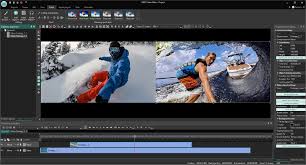
The Ultimate Guide to Video Editing: Top Programs For Windows And Macos
Are you looking to create stunning videos with your favorite memories? Look no further! In this comprehensive guide, we’ll explore the best video editing programs for both Windows and macOS, helping you choose the perfect tool for your creative endeavors.
Introduction
In today’s digital age, video editing has become an essential skill for anyone who wants to showcase their creativity. With the rise of social media platforms like TikTok, Instagram, and YouTube, the demand for high-quality videos has never been higher. Whether you’re a professional videographer or an amateur filmmaker, having the right tools can make all the difference in creating stunning visuals.
Programs For Video Editing on Windows
In this section, we’ll delve into some of the top video editing programs available for Windows users.
Microsoft Clipchamp (Windows)
Clipchamp is a free video editing program developed by Microsoft. This user-friendly application allows you to create professional-looking videos without any prior experience in video editing. With its intuitive interface and powerful features, Clipchamp is an excellent choice for beginners and experienced editors alike.
How to Use Clipchamp
To get started with Clipchamp, simply download the program from the Microsoft Store. Once installed, follow these steps:
- Launch Clipchamp and click on “Create a new video.”
- Select the type of project you want to create (e.G., Presentation, photo slideshow, or video montage).
- Import your media files (images, videos, music) into the program.
- Use the editor’s timeline to arrange your clips in the desired order.
- Add transitions, effects, and text overlays as needed.
- Export your final video in the desired format.
Other Programs For Video Editing on Windows
While Clipchamp is an excellent choice for beginners, more advanced users may want to explore other options. Some popular alternatives include:
- Adobe Premiere Pro
- CyberLink PowerDirector
- VSDC Free Video Editor
Programs For Video Editing on Macos
In this section, we’ll cover some of the top video editing programs available for macOS users.
Photo (macOS)
Photo is a free video editing program developed by Apple. This intuitive application allows you to create stunning videos with ease. With its user-friendly interface and powerful features, Photo is an excellent choice for beginners and experienced editors alike.
How to Use Photo
To get started with Photo, simply launch the application and follow these steps:
- Click on “Create” and select the type of project you want to create (e.G., Presentation, photo slideshow, or video montage).
- Import your media files (images, videos, music) into the program.
- Use the editor’s timeline to arrange your clips in the desired order.
- Add transitions, effects, and text overlays as needed.
- Export your final video in the desired format.
Other Programs For Video Editing on Macos
While Photo is an excellent choice for beginners, more advanced users may want to explore other options. Some popular alternatives include:
- Adobe Premiere Pro
- Final Cut Pro X
- DaVinci Resolve
Conclusion
In this comprehensive guide, we’ve explored the best video editing programs available for both Windows and macOS users. Whether you’re a beginner or an experienced editor, there’s a program on this list that suits your needs. Remember to always follow the steps outlined in each program’s user manual to ensure optimal performance.
Faqs
- What is The Best Video Editing Software?
The best video editing software depends on your specific needs and preferences. For beginners, Microsoft Clipchamp or Photo are excellent choices. - How do I Export my Final Video?
To export your final video, simply click on the “Export” button in the program’s editor. Choose the desired format and resolution, and follow the prompts to save your file. - Can I Use These Programs For Professional Video Editing?
Yes, many of the programs listed in this guide are suitable for professional video editing. However, more advanced users may want to explore additional features and options available in each program. - Are These Programs Free or Paid?
Some of the programs listed in this guide are free, while others require a purchase or subscription. Be sure to check the system requirements and pricing information before downloading any software. - Can I Edit Videos on my Mobile Device?
Yes, many video editing apps are available for both iOS and Android devices. Some popular options include Adobe Premiere Rush, InShot, and VivaVideo.
References
- Microsoft Clipchamp: Https://Www.Microsoft.Com/en-us/store/product/clipchamp
- Photo (macOS): Https://Support.Apple.Com/guide/mac-help/use-photo-to-edit-and-share-videos-mac/mac-photovideotutorial/index.Html
- Adobe Premiere Pro: Https://Www.Adobe.Com/products/premiere-pro.Html
- CyberLink PowerDirector: Https://Www.Cyberlink.Com/product/powerdirector/
I hope this comprehensive guide has been helpful in your search for the best video editing software. Happy editing!


