
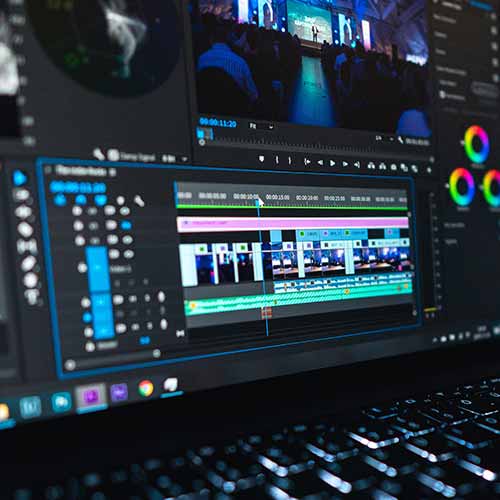
Mounting Video: The Ultimate Guide
Are you tired of editing videos on your smartphone or tablet? Do you want to create professional-looking videos without breaking the bank? Look no further! In this comprehensive guide, we will explore the best programs, apps, and services for mounting video on PC, Mac, Android, and iOS devices.
The Importance of Mounting Video
Mounting video is an essential skill in today’s digital age. With the rise of social media, YouTube, and online content creation, it’s no longer enough to simply record a video. You need to edit, enhance, and refine your footage to make it engaging and shareable.
Top Programs For Mounting Video on PC
- Avidemux: A free, open-source video editor available for Windows, macOS, and Linux.
- Adobe Premiere: A professional-grade video editing software available for Windows and macOS.
- Movavi Video Editor: A user-friendly video editor compatible with Windows and macOS.
- Sony Vegas: A powerful video editing software for Windows.
How to Use Avidemux
Avidemux is a great starting point for beginners. Here’s how to use it:
- Download the program from the official website.
- Open the file you want to edit using the “Open” menu.
- Trim, split, and merge your footage as needed.
- Apply filters, transitions, and effects to enhance your video.
- Export your final video in various formats.
Top Apps For Mounting Video on Mobile
- Actiondirector: A mobile app developed by CyberLink that allows you to create and edit videos directly on your Android device.
- Imovie: A user-friendly video editing app available for iOS devices.
How to Use Imovie
IMovie is a great app for beginners. Here’s how to use it:
- Download the app from the App Store.
- Create a new project using the “Create” menu.
- Import your footage and trim, split, and merge as needed.
- Apply filters, transitions, and effects to enhance your video.
- Export your final video in various formats.
Top Services For Mounting Video Online
- Wevideo: A cloud-based video editing service that allows you to create and edit videos online.
- Clipchamp: A free online video editor that offers a range of features and effects.
How to Use Wevideo
Here’s how to use WeVideo:
- Sign up for an account on the WeVideo website.
- Import your footage using the “Import” menu.
- Create a new project using the “Create New” menu.
- Trim, split, and merge your footage as needed.
- Apply filters, transitions, and effects to enhance your video.
- Export your final video in various formats.
Conclusion
Mounting video is an essential skill for content creators, filmmakers, and anyone who wants to share their stories online. With the right tools and techniques, you can create professional-looking videos that engage and inspire your audience. In this guide, we’ve explored the best programs, apps, and services for mounting video on PC, Mac, Android, and iOS devices.
Faqs
- Q: What is Mounting Video?
A: Mounting video refers to the process of editing, enhancing, and refining your footage to make it engaging and shareable. - Q: Which Program is Best For Beginners?
A: Avidemux is a great starting point for beginners due to its user-friendly interface and range of features. - Q: Can I Mount Video on Mobile Devices?
A: Yes, there are several apps available for Android and iOS devices that allow you to create and edit videos directly on your phone or tablet. - Q: Which Service is Best For Online Video Editing?
A: WeVideo and Clipchamp are two popular services that offer a range of features and effects for online video editing. - Q: Do I Need to Have Technical Skills to Mount Video?
A: No, you don’t need to be a tech expert to mount video. With the right tools and techniques, anyone can create engaging and professional-looking videos. - Q: Can I Use Mounting Video For Personal Projects?
A: Yes, mounting video is not just for professionals. You can use it for personal projects, such as creating family videos or documenting your travels. - Q: How Long Does it Take to Learn Mounting Video?
A: The time it takes to learn mounting video depends on your skill level and the complexity of your project. With practice, you can become proficient in a short amount of time.
Recommended Reading
- “The Ultimate Guide to Video Editing”
- “How to Create a Professional-Looking Video on a Budget”
- “The Best Apps for Mobile Video Editing”
I hope this guide has been helpful! If you have any further questions or need additional guidance, don’t hesitate to ask.


