
Virtual Printer Pdf: A Game-changer For Your Digital Life
Are you tired of dealing with physical printers and their associated costs? Look no further than the virtual printer PDF! In this article, we’ll explore what a virtual printer is, how it works, and why it’s an essential tool for anyone looking to streamline their digital life.
What is a Virtual Printer?
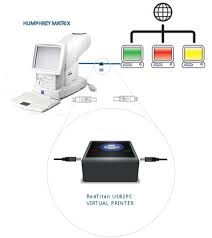
A virtual printer is a software program that allows you to print documents, images, and web pages directly to a file in PDF format. Unlike traditional printers, which require physical paper and ink, virtual printers use your computer’s resources to create a digital copy of the content.
How Does it Work?
Using a virtual printer is simple. Just select the content you want to print (e.G., A document, image, or web page), choose the “Print” option from the menu, and select the virtual printer as your chosen device. The software will then create a PDF file of the selected content, which can be saved to your computer or shared with others.
Benefits of Using a Virtual Printer
The benefits of using a virtual printer are numerous:
- Convenience: No need to physically print documents or images; just save them as PDFs.
- Cost-effective: Save money on ink and paper costs.
- Environmentally Friendly: Reduce your carbon footprint by minimizing paper usage.
- Portability: Easily share digital files with others, without the need for physical media.
Using Virtual Printers on Different Operating Systems
The virtual printer is available on various operating systems, including:
Windows 11
On Windows 11, you can use the built-in “Print to PDF” feature to create a PDF file from any document or image. To do this, simply select the content you want to print, go to the “Print” menu, and choose “Microsoft Print to PDF” as your chosen device.
Windows 10
Similarly, on Windows 10, you can use the built-in “Print to PDF” feature to create a PDF file from any document or image. To do this, simply select the content you want to print, go to the “Print” menu, and choose “Microsoft Print to PDF” as your chosen device.
Windows 7
If you’re using Windows 7, you won’t have access to the built-in “Print to PDF” feature. However, you can download a third-party virtual printer like doPDF, which provides a convenient way to create PDF files from any content.
Mac Os
On Mac OS, you can use the built-in “Print to PDF” feature to create a PDF file from any document or image. To do this, simply select the content you want to print, go to the “File” menu, and choose “Print…” Select “PDF” as your chosen device.
Linux
On Linux, you can use various virtual printers like CUPS (Common Unix Printing System) or Ghostscript to create PDF files from any document or image.
Other Solutions For Printing in Pdf
While virtual printers are a convenient solution, there are other ways to print in PDF format:
- Microsoft 365 (Office): With Microsoft 365, you can export documents in PDF format without the need for external software.
- Libreoffice: This free and open-source productivity suite allows you to export documents in PDF format using its built-in “Export” feature.
Conclusion
In conclusion, virtual printers are a game-changer for anyone looking to streamline their digital life. With their convenience, cost-effectiveness, environmental benefits, and portability, it’s no wonder they’re becoming increasingly popular. Whether you’re using Windows, Mac OS, or Linux, there’s a virtual printer available to suit your needs.
Frequently Asked Questions
- What is The Purpose of a Virtual Printer?
A virtual printer allows you to print documents, images, and web pages directly to a file in PDF format. - How do I Use a Virtual Printer on Windows 11?
To use a virtual printer on Windows 11, select the content you want to print, go to the “Print” menu, and choose “Microsoft Print to PDF” as your chosen device. - Can I Use a Virtual Printer on Mac Os?
Yes, you can use the built-in “Print to PDF” feature on Mac OS to create a PDF file from any document or image. - What Are Some Other Solutions For Printing in Pdf Format?
Other solutions include Microsoft 365 (Office), LibreOffice, and online services that allow you to convert documents into PDF format.


