
Understanding Your Vodafone Internet Speed: A Comprehensive Guide
Are you wondering how to check your internet speed with Vodafone? Look no further! In this article, we will guide you through the process of testing your internet speed using various tools and methods.
What is Internet Speed Testing?
Internet speed testing is a way to measure the performance of your internet connection. It checks the download and upload speeds, as well as the latency (ping time) of your connection. This information can help you determine if your internet service provider (ISP), in this case, Vodafone, is delivering the promised speeds.
Types of Internet Connections
Before we dive into the speed testing process, it’s essential to understand the different types of internet connections offered by Vodafone:
- Fibre: FTTH (Fiber-to-the-Home) and FTTC (Fiber-to-the-Cabinet) connections use optical fiber to provide high-speed internet.
- Adsl: Asymmetric Digital Subscriber Line uses copper cables to deliver lower-speed internet.
- Fwa: Fixed Wireless Access combines optical fiber and 4G/4G+ connectivity to provide fast internet.
Speed Testing Tools
Now that you know the types of internet connections, let’s explore the tools available for speed testing:
1. Vodafone Official Speed Test Tool
Vodafone provides an official speed test tool called “Tool ufficiale” (Official Tool). This tool uses OpenSpeedTest technology to measure your internet speed. To access it, go to the Vodafone website and follow these steps:
- Click on the “Start” button.
- Wait for the test to complete.
2. Ookla Speed Test
Ookla Speed Test is a popular online tool that measures internet speed worldwide. To use it, visit the Ookla website and click on the “GO” button.
3. Sos Tariffe (Sos Charges) Speed Test
Sos Tariffe is a service that allows you to compare internet tariffs. It also offers a free speed test tool called “Speedtest”. To access it:
- Visit the Sos Tariffe website.
- Select Vodafone as your operator.
- Enter your city council and address.
- Choose your connection type (ADSL, fibre, or FWA).
- Click on the “Continue” button.
4. In.me.*sys Speed Test
In.Me.*Sys is a free tool provided by AGCOM (the Italian Authority for Communications). This tool measures internet speed and provides official results that can be used to dispute contracts with your ISP.
Preparation Before Conducting The Speed Test
Before conducting the speed test, make sure you:
- Close all running programs on your computer.
- Ensure the internet connection is not pledged in heavy download or upload activities.
- Use an Ethernet cable (if available) instead of Wi-Fi for a more accurate result.
- Have an adapter (e.G., TP-Link UE306) if your device doesn’t have an Ethernet port.
Speed Test Results
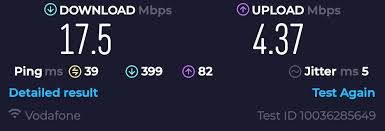
After conducting the speed test using one of the tools mentioned above, you will receive results indicating:
- Download speed
- Upload speed
- Ping time
These results will help you determine if your internet connection is performing as expected.
What to Do If Your Speed Test Results Are Unsatisfactory?
If your speed test results show slower speeds than promised by Vodafone, follow these steps:
- Check the Vodafone website for support information.
- Contact Vodafone customer service via phone (190) or through their chat service.
- Visit a Vodafone store in person to discuss your concerns with a qualified staff member.
Conclusion
In this article, we have provided you with a comprehensive guide on how to check your internet speed with Vodafone using various tools and methods. Remember to prepare properly before conducting the speed test and use the results to determine if your connection is performing as expected. If not, contact Vodafone customer service for assistance.
Frequently Asked Questions (FAQs)
- What is The Difference Between Ftth, Fttc, And Adsl Internet Connections?
FTTH (Fiber-to-the-Home) uses optical fiber to deliver high-speed internet directly to your home. FTTC (Fiber-to-the-Cabinet) uses a combination of optical fiber and copper cables, while ADSL (Asymmetric Digital Subscriber Line) uses only copper cables for lower-speed internet.
- What is Fwa, And How Does it Differ From Other Connections?
FWA (Fixed Wireless Access) combines optical fiber and 4G/4G+ connectivity to provide fast internet. It differs from FTTH and ADSL in that it uses wireless signals instead of physical cables.
- Which Speed Test Tool Should I Use?
You can use any of the tools mentioned above, including Vodafone’s official speed test tool, Ookla Speed Test, Sos Tariffe Speed Test, or In.Me.*Sys Speed Test.
- Why is it Important to Close All Running Programs Before Conducting a Speed Test?
Closing all running programs ensures that your computer and internet connection are not pledged in heavy activities, providing a more accurate result.
- Can I Use an Adapter if my Device Doesn’t Have an Ethernet Port?
Yes, you can use an adapter (e.G., TP-Link UE306) to connect your device to the internet using an Ethernet cable.
- How do I Contact Vodafone Customer Service For Assistance?
You can contact Vodafone customer service via phone (190), chat service, or by visiting a Vodafone store in person.
- What Should I do if my Speed Test Results Show Slower Speeds Than Promised by Vodafone?
If your speed test results are unsatisfactory, contact Vodafone customer service for assistance. They can help you determine the issue and provide solutions to improve your internet connection.


