
The Ultimate Guide to Backup: Protecting Your Digital Memories
In today’s digital age, it’s easy to accumulate vast amounts of data, from important documents to cherished photos and videos. However, with great power comes great responsibility – the risk of losing your valuable files and memories is ever-present. This is where backup comes in – a crucial measure to safeguard your digital assets against loss or damage.
What is Backup?
Backup, simply put, is a copy of your data stored on an external device, cloud service, or other secure location. The purpose of backup is to ensure that your files and memories are safe and recoverable in case of unexpected events such as hardware failure, software glitches, or even physical damage.
Types of Backup
There are several types of backup, each with its own strengths and weaknesses:
- Backup Complete: A full copy of all data, including files and folders.
- Incremental Backup: Copies only the changes made since the last backup.
- Differential Backup: Copies all changes since the last complete backup.
- Synthetic Backup: Combines the advantages of incremental and differential backups.
Backup For Android Devices
For Android users, there are several ways to create a backup:
- Use Google Drive or iCloud to store your data securely.
- Utilize apps like Titanium Backup or Google One for more detailed backup options.
- Create a Nandroid backup of the entire system for added security.
Backup For Iphone And Ipad
For iOS users, the process is straightforward:
- Use iTunes or Finder on macOS to create a backup of your data and settings.
- Utilize iCloud to store your data securely and access it from any device.
Backup For Whatsapp
To safeguard your WhatsApp conversations and media:
- Create a local backup by opening Settings > Chat > Backup chat.
- Configure automatic backups on Google Drive or iCloud for added security.
Backup For Computer Data
For computer users, the process varies depending on the operating system:
- For Windows 10/11, use the built-in Windows Backup app.
- For macOS, utilize Time Machine to create a backup of your data and settings.
- Explore various third-party programs for more advanced backup options.
Backup For Photos
To safeguard your cherished photos:
- Copy them onto an external drive or cloud service like Google Drive or iCloud.
- Utilize apps specifically designed for photo backup, such as Adobe Creative Cloud.
Why Backup Matters
Backup is not just a precautionary measure – it’s essential for protecting your digital memories and data against unexpected events. By understanding the types of backup and implementing them correctly, you can ensure that your valuable files are safe and recoverable in case of disaster.
In conclusion, backup is a vital step in safeguarding your digital assets. Whether you’re an Android user, iPhone enthusiast, or computer expert, there’s a backup solution tailored to your needs. By taking the time to understand and implement these measures, you can rest assured that your memories and data are protected for years to come.
Frequently Asked Questions
- What is Backup?
Backup refers to creating a copy of your digital files and data on an external device or cloud service. - Why do I Need Backup?
Backup safeguards your valuable data against loss or damage due to unexpected events like hardware failure, software glitches, or physical damage. - How Often Should I Perform Backup?
It’s recommended to back up your data at regular intervals, such as weekly or monthly, depending on the type of data and the frequency of changes. - Can I Recover my Backed-up Data if I Lose It?
Yes, with a good backup system in place, you can easily recover your backed-up data even after losing or damaging your original files. - How do I Choose The Right Backup Solution For Me?
Consider factors such as the type of device, operating system, and data you want to back up when selecting the most suitable backup solution. - What Happens if my Cloud Storage Service Goes Down?
Many cloud services provide redundancy and failover mechanisms to ensure your data remains accessible even in case of service downtime or technical issues. - Can I Use Multiple Backup Solutions at Once?
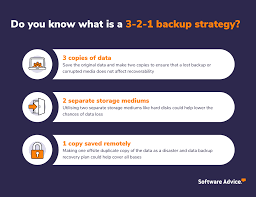
Yes, using a combination of local, external, and cloud-based backup solutions can provide added security and peace of mind.
Conclusion
Backup is an essential step in protecting your digital memories and data against unexpected events. By understanding the types of backup, their strengths, and implementing them correctly, you can ensure that your valuable files are safe and recoverable for years to come. Remember, it’s always better to be prepared than sorry.


