
How to Identify a Song: A Comprehensive Guide
Are you tired of humming or whistling a catchy tune without knowing the title? Do you find yourself searching online, trying to remember the lyrics or melody, only to end up frustrated? Look no further! In this article, we’ll explore various methods to help you identify a song and its artist.
Google’s Song Recognition
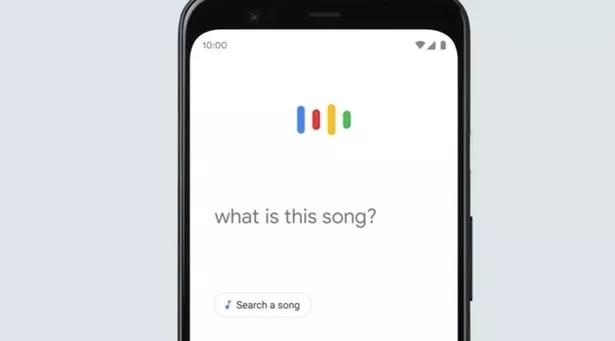
If you have an Android device, you can use Google’s built-in Assistant to recognize songs. Simply say “OK Google” or press and hold the Home button, and then ask, “What song is this?” (or a similar phrase). The Assistant will listen for 15 seconds before searching its vast database. If it finds a match, you’ll be taken to a relevant search results page.
Using Google Search
If you don’t have an Android device or prefer not to use voice commands, you can still use Google’s song recognition feature through the web. Simply go to the Google website, click on the microphone icon in the search bar, and then ask, “What song is this?” (or a similar phrase). Google will listen for 15 seconds before searching its database.
Now Playing: A Feature Exclusive to Pixel Phones
If you have a Pixel phone, you might be familiar with the Now Playing feature. This function keeps your phone constantly listening for music and can recognize songs even when they’re not playing on the device itself. However, please note that this feature is only available on Pixel phones and may listen to more than just music.
Siri: A Similar Service For Apple Devices
If you own an iPhone, iPad, or Mac, you can use Siri to identify a song. Simply say “Hey Siri” (or press the side button), followed by “What song is this?” (or a similar phrase). Siri will listen and attempt to recognize the song.
Online Services: Aha! Music
If none of the above methods work for you, there’s another online service called Aha! Music that can help. Simply go to the Aha! Music website, click on the yellow microphone button, and then ask, “What song is this?” (or a similar phrase). The service will listen for 15 seconds before providing a result.
Shazam: A Time-tested Solution
For those who prefer a more traditional approach, there’s Shazam. This app has been around for years and can recognize songs with ease. Simply open the app, tap on the logo, and bring your device close to the source of the music. After a few seconds, Shazam will display the song’s title, artist, and additional information.
Conclusion
Identifying a song can be a frustrating experience, but with these methods, you should be able to find what you’re looking for. From Google’s built-in Assistant to online services like Aha! Music and Shazam, there are many ways to recognize songs and their artists. Whether you’re trying to remember the title of a catchy tune or simply want to discover new music, these solutions can help.
Faqs
- What Devices Can I Use to Identify Songs?
You can use various devices, including smartphones (Android or iOS), tablets, computers, and online services like Google and Aha! Music. - How do I Activate The Song Recognition Feature on my Device?
For Android devices, simply say “OK Google” or press and hold the Home button. For Apple devices, say “Hey Siri” or press the side button. - What Happens if I Don’t Have an Android or Ios Device?
You can still use online services like Aha! Music or Shazam to identify songs. - Is my Personal Data Safe When Using These Services?
Yes, all of the mentioned services take user privacy seriously and store your data securely. - Can I Save Recognized Songs For Later?
Some services, like Shazam, allow you to save recognized songs in a playlist or bookshop for future reference. - Are There Any Costs Associated With Using These Services?
Most of the mentioned services are free to use, although some might offer premium features or subscriptions.


