
How to Choose a Perfect Name on Tiktok: A Step-by-step Guide
Are you excited to join the world of TikTok, but unsure about choosing the perfect name? Look no further! In this article, we will guide you through the process of creating and modifying your username on TikTok.
Why Choosing a Good Username Matters
Your username is the first thing people see when they come across your profile. It’s like a digital business card that represents you and your brand. A good username can make all the difference in getting noticed, building credibility, and attracting followers.
Preparation is Key
Before we dive into the process of creating and modifying your username, there are a few things to keep in mind:
- Use The Official Tiktok App: You’ll need to download and install the TikTok app on your device to create an account.
- Be Mindful of Name Length And Character Limit: Your username can be up to 15 characters long, including letters, numbers, underscores, and dots.
- Choose a Unique And Memorable Name: Avoid using names that are already taken or too similar to others.
Step 1: Creating Your Username
To create your username on TikTok:
- Open the TikTok app and tap on “Sign up” to create a new account.
- Enter your phone number, email address, or Facebook/Google/Twitter credentials to sign in.
- Tap on “Next” to proceed with creating your profile.
- Fill out the required information, including your date of birth and location.
- Choose a username by typing it into the provided field.
Tips For Choosing a Great Username
Here are some tips to help you choose a great username:
- Use Your Nickname or Handle: If you already have a well-known nickname or handle on other social media platforms, consider using that for your TikTok account.
- Be Creative And Reflect Your Personality: Choose a name that represents your interests, hobbies, or personality traits.
- Keep it Simple And Easy to Remember: Avoid using names with multiple words or complicated spellings.
Step 2: Modifying Your Username
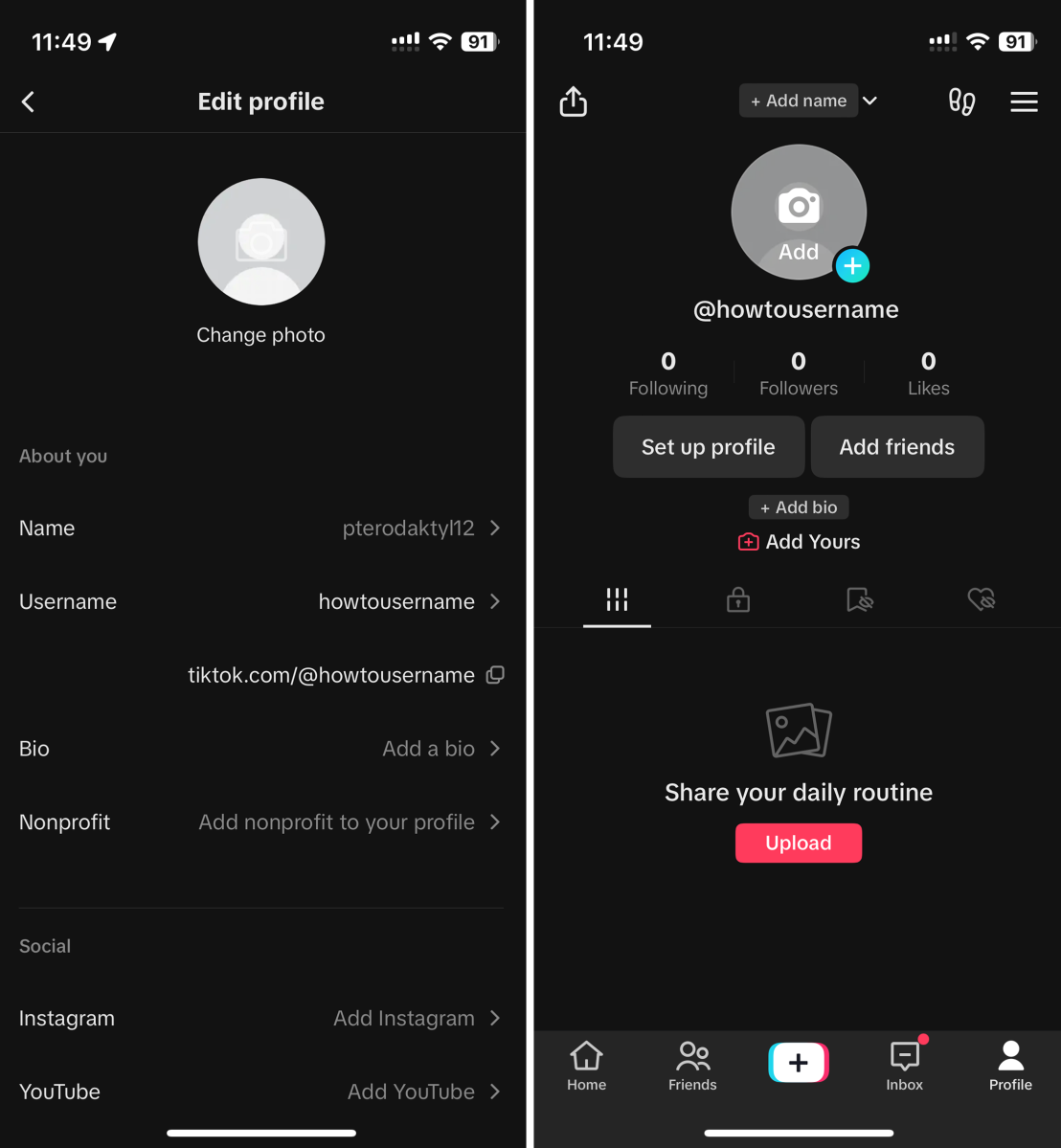
If you’ve already created an account on TikTok but want to modify your username:
- Open the TikTok app and tap on the “Me” tab at the bottom.
- Tap on the three horizontal lines in the top-right corner of the screen.
- Select “Settings” from the menu.
- Tap on “Account” and then select “Edit Profile.”
- Tap on “Username” to edit it.
Common Questions About Choosing a Username
Here are some frequently asked questions about choosing a username on TikTok:
- Can I Change my Username Later?
Yes, you can modify your username at any time by following the steps outlined above. - How Often Can I Change my Username?
You can change your username every 30 days. After that, you’ll need to wait for 30 more days before making another change.
Conclusion
Choosing a great username on TikTok is an important part of creating a strong online presence. Remember to be mindful of name length and character limits, choose a unique and memorable name, and keep it simple and easy to remember. Don’t be afraid to experiment and try out different names until you find the perfect one for your brand.


