
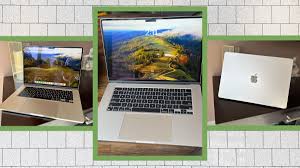
Which Macbook Should You Choose: A Guide to Shopping
September 2024
The Time Has Finally Arrived to Overthrow Portable Computers
Are you planning to abandon Windows for Apple’s arms? Do you know which MacBook to choose? In fact, the patterns of MacBooks in commerce are numerous and choosing between MacBook Pro and MacBook Air does not seem easy. Without counting each of these models being available in various hardware configurations that can be customized during use, you need to study a bit before making such an important purchase and bringing home a portable with the “Apple” printed on it.
What if we try to clarify our ideas? Take five minutes of free time and listen to my tips. We will analyze the characteristics, potential, pros, and cons of each MacBook and try to discover which one is best for your case. I am convinced that you will soon understand which Apple portable is most adapted to your requirements… And buying it will be just a click away!
Best Macbook Quality-to-price Ratio
- Macbook Air 2022 With M2 Chip: The perfect balance between power and portability, this laptop boasts an exceptional display, impressive battery life, and seamless integration with other Apple devices. Its compact design and lightweight construction make it ideal for work or play on the go.
- Macbook Pro 2023 With M3 Pro Chip: This powerhouse of a laptop is designed for professionals who need a machine that can handle demanding tasks with ease. With its stunning display, efficient battery life, and seamless integration with other Apple devices, this MacBook Pro is perfect for those who demand the best.
- Macbook Air 2020 With M1 Chip: Although an older model, this laptop still offers impressive performance, a long-lasting battery, and a compact design that makes it easy to carry around. Its affordable price tag and seamless integration with other Apple devices make it a great option for those on a budget.
- Macbook Pro 2021 With M1 Pro Chip: This high-end laptop is designed for professionals who need a machine that can handle demanding tasks with ease. With its stunning display, efficient battery life, and seamless integration with other Apple devices, this MacBook Pro is perfect for those who demand the best.
How to Choose a Macbook
Choosing the right MacBook can be overwhelming, especially with so many options available. Here are some key factors to consider:
- Display: Look for a laptop with a high-resolution display that offers vibrant colors and a comfortable viewing experience.
- Performance: Consider a laptop with a powerful processor and sufficient RAM to handle demanding tasks.
- Battery Life: Opt for a laptop with a long-lasting battery that can keep up with your busy schedule.
- Portability: If you need a laptop that’s easy to carry around, look for one with a lightweight design and compact size.
- Integration: Consider a laptop that seamlessly integrates with other Apple devices, making it easy to share files and switch between tasks.
Conclusion
Choosing the right MacBook can be a daunting task, but by considering your needs and preferences, you can find the perfect machine for you. Whether you’re looking for power, portability, or affordability, there’s a MacBook out there that fits your bill. Take your time, do your research, and don’t hesitate to reach out to experts if you need help making a decision.
Frequently Asked Questions
- What is The Best Macbook For Beginners?
The MacBook Air 2022 with M2 chip is an excellent choice for beginners, offering impressive performance, long battery life, and seamless integration with other Apple devices. - Which Macbook Has The Best Display?
The MacBook Pro 2023 with M3 Pro chip boasts a stunning display that offers vibrant colors, high resolution, and a comfortable viewing experience. - Can I Use a Macbook For Gaming?
Yes, you can use a MacBook for gaming, but it’s essential to choose a model with a powerful processor and sufficient RAM to handle demanding games. - How Long Does The Battery of a Macbook Last?
The battery life of a MacBook varies depending on the model, but most MacBooks offer impressive battery life that can keep up with your busy schedule. - Can I Use a Macbook For Video Editing?
Yes, you can use a MacBook for video editing, but it’s essential to choose a model with a powerful processor and sufficient RAM to handle demanding tasks.
Feel free to ask me any questions or request additional information!


