
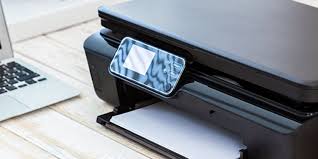
Which Printer Wi-fi Buy (September 2024)
Choosing a wireless printer can be a daunting task, especially with the numerous options available in the market. As we bid farewell to the hassle of cables and blank papers on our desks, it’s essential to consider several factors before making a purchase.
In this article, we’ll explore the top wireless printers available in the market, highlighting their key features, pros, and cons. We’ll also provide you with a comprehensive guide to help you choose the perfect printer for your needs.
Why Choose a Wireless Printer?
Wireless printers offer numerous benefits, including:
- Convenience: No more cables or mess on your desk
- Portability: Take your printer anywhere without worrying about cables
- Easy setup: Plug and play, no complex installation required
- Cost-effective: Save money on printer ink and maintenance
Top Wireless Printers in The Market
Here are some of the best wireless printers available in the market:
- Epson Expression Home Xp-2200
- Multi-functionality: Print, scan, copy, and fax documents
- Connectivity options: Wi-Fi, USB, and Wi-Fi Direct
- Ink capacity: 604XL ink cartridges for high-quality prints
- Speed: 27 Pages/min (monochrome), 15 pages/min (color)
- Dimensions: 13.8 X 15 x 7.1 Cm
- HP Laserjet M140w
- Multi-functionality: Print, scan, copy documents
- Connectivity options: Wi-Fi and USB
- Toner capacity: HP 142A black toner cartridges for high-quality prints
- Speed: 20 Pages/min (monochrome)
- Dimensions: 13.8 X 15 x 7.1 Cm
- HP Envy 6420e
- Multi-functionality: Print, scan, copy documents
- Connectivity options: Wi-Fi and USB
- Ink capacity: 9 Months of Instant Ink for cost-effective printing
- Speed: 17 Pages/min (color), 20 pages/min (monochrome)
- Dimensions: 36.1 X 43.25 X 17.4 Cm
- HP Smart Tank 5105
- Multi-functionality: Print, scan, copy documents
- Connectivity options: Wi-Fi and USB
- Ink capacity: High-volume ink tank for cost-effective printing
- Speed: 22 Pages/min (monochrome), 16 pages/min (color)
- Dimensions: 13.8 X 15 x 7.1 Cm
- Canon Pixma Tr4750i
- Multi-functionality: Print, scan, copy, and fax documents
- Connectivity options: Wi-Fi and USB
- Ink capacity: High-capacity ink tank for cost-effective printing
- Speed: 17 Pages/min (color), 20 pages/min (monochrome)
- Dimensions: 13.8 X 15 x 7.1 Cm
What to Consider When Choosing a Wireless Printer
When selecting a wireless printer, consider the following factors:
- Print Quality: Look for printers with high-resolution printing capabilities
- Speed: Choose a printer that can handle your print volume needs
- Connectivity Options: Ensure the printer has multiple connectivity options (Wi-Fi, USB, etc.)
- Ink Capacity: Select a printer with a high-capacity ink tank or cartridges for cost-effective printing
- Dimensions And Weight: Consider the size and weight of the printer to ensure it fits your workspace
Tips For Choosing The Perfect Printer
Before making a purchase, consider the following tips:
- Read Reviews: Check online reviews from other customers to get an idea of the printer’s performance and reliability
- Compare Prices: Compare prices from different retailers to find the best deal
- Check The Warranty: Ensure the printer comes with a comprehensive warranty for peace of mind
- Test The Printer: If possible, test the printer before purchasing to ensure it meets your expectations
Conclusion
Choosing the perfect wireless printer requires careful consideration of several factors. By considering print quality, speed, connectivity options, ink capacity, and dimensions, you can find the ideal printer for your needs. Remember to read reviews, compare prices, check the warranty, and test the printer before making a purchase.
We hope this article has provided you with valuable insights into the world of wireless printers. Happy printing!
Frequently Asked Questions (FAQs)
- What is The Best Wireless Printer on The Market?
The best wireless printer depends on your specific needs. However, some top-rated options include the Epson Expression Home XP-2200 and HP LaserJet M140w.
- How do I Connect my Wireless Printer to my Computer?
To connect your wireless printer to your computer, follow these steps:
A. Ensure both devices are turned on
B. Go to your printer’s control panel or settings
C. Select the “Wi-Fi” option and select your network from the list
D. Enter your Wi-Fi password (if required)
E. Wait for the connection to be established
- Can I Print Wirelessly From my Smartphone?
Yes, you can print wirelessly from your smartphone using a wireless printer with built-in Wi-Fi Direct capabilities.
- How do I Replace The Ink Cartridges in my Wireless Printer?
Replacing ink cartridges varies depending on the printer model. Generally:
A. Turn off the printer and unplug it
B. Open the cartridge compartment (usually located at the back of the printer)
C. Remove the old cartridge and discard it
D. Insert the new cartridge and replace the cartridge compartment
- What is The Average Lifespan of a Wireless Printer?
The average lifespan of a wireless printer depends on usage and maintenance. With proper care, a wireless printer can last for 3-5 years.
- Can I Use my Wireless Printer With Multiple Devices at Once?
Yes, most wireless printers come with built-in Wi-Fi capabilities that allow you to connect multiple devices at once. However, this may depend on the specific printer model and its specifications.
- What Are The Benefits of Using a Wireless Printer?
The benefits of using a wireless printer include convenience, portability, easy setup, and cost-effectiveness.
- Can I Print High-quality Photos With a Wireless Printer?
Yes, some wireless printers come equipped with photo printing capabilities that allow you to produce high-quality prints. However, the quality may vary depending on the printer model and ink used.


