
Understanding Wi-fi Routers: A Comprehensive Guide
As we navigate our daily lives, it’s hard to imagine a world without Wi-Fi routers. These devices have become an integral part of our digital infrastructure, enabling us to connect multiple devices to the internet and access a vast array of online resources. But have you ever stopped to think about how these routers actually work? In this article, we’ll delve into the world of Wi-Fi routers, exploring their functions, features, and benefits.
What is a Wi-fi Router?
A Wi-Fi router is a device that connects multiple devices to a network using radio waves. It receives internet signals from an ISP (Internet Service Provider) and redistributes them to devices connected to it through Wi-Fi or Ethernet cables. The router acts as a gateway between the internet and your local network, allowing you to access online resources and share files with other devices.
How Does a Wi-fi Router Function?
A Wi-Fi router functions by receiving internet signals from an ISP and redistributing them to devices connected to it through Wi-Fi or Ethernet cables. The process involves:
- Signal Reception: The router receives internet signals from the ISP through a WAN (Wide Area Network) connection.
- Signal Processing: The router processes the received signal and allocates IP addresses to devices connected to its LAN (Local Area Network).
- Signal Transmission: The router transmits the processed signal to devices connected to its LAN, enabling them to access the internet.
Types of Wi-fi Routers
There are several types of Wi-Fi routers available in the market, including:
- Single-band Routers: These routers operate on a single frequency band and offer lower speeds.
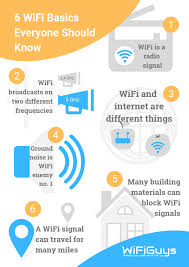
- Dual-band Routers: These routers operate on two frequency bands (2.4GHz and 5GHz) and offer higher speeds.
- Tri-band Routers: These routers operate on three frequency bands (2.4GHz, 5GHz, and a third band for backhaul) and offer even higher speeds.
Configuring a Wi-fi Router
To configure a Wi-Fi router, follow these steps:
- Access The Router’s Web Interface: Use a web browser to access the router’s web interface by typing its IP address in the address bar.
- Change The Admin Password: Change the default admin password to prevent unauthorized access.
- Set Up Wireless Settings: Set up wireless settings, such as network name (SSID), channel, and encryption method.
- Configure Firewall Settings: Configure firewall settings to block unauthorized access.
Choosing The Right Wi-fi Router
When choosing a Wi-Fi router, consider factors such as:
- Speed: Choose a router with a high speed rating to ensure smooth online experiences.
- Range: Consider a router with a long range to cover larger areas.
- Security: Look for a router with robust security features, such as WPA2 encryption and a firewall.
- Features: Consider a router with additional features, such as USB ports and built-in storage.
Portable Wi-fi Routers
Portable Wi-Fi routers are designed to be used on-the-go. They typically have a compact design and can be powered by batteries or external power sources. These routers often support multiple frequency bands and offer high speeds.
Conclusion
Wi-Fi routers play a vital role in our digital lives, enabling us to connect multiple devices to the internet and access online resources. By understanding how these routers function and choosing the right one for your needs, you can ensure a smooth and secure online experience.
Frequently Asked Questions
-
What is The Difference Between a Wi-fi Router And a Modem?
A Wi-Fi router receives internet signals from an ISP and redistributes them to devices connected to it through Wi-Fi or Ethernet cables. A modem, on the other hand, translates analog signals into digital signals for transmission over phone lines.
-
How do I Configure my Wi-fi Router?
To configure your Wi-Fi router, access its web interface using a web browser and follow the on-screen instructions to change the admin password, set up wireless settings, and configure firewall settings.
-
What Are The Benefits of Using a Dual-band or Tri-band Wi-fi Router?
Dual-band and tri-band Wi-Fi routers offer higher speeds and better performance by operating on multiple frequency bands. This can be beneficial for users who need to connect multiple devices or stream high-definition content.
-
How do I Choose The Right Wi-fi Router For my Needs?
When choosing a Wi-Fi router, consider factors such as speed, range, security features, and additional features like USB ports and built-in storage.


