
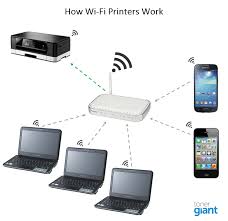
How Printers Wifi Work: A Comprehensive Guide
Are you tired of dealing with tangled cables and cumbersome printers? Do you want to take your printing experience to the next level? Look no further than WiFi printers! In this article, we’ll delve into the world of WiFi printers, exploring their types, technologies, characteristics, and more.
What Are Wifi Printers?
WiFi printers are wireless printing devices that allow you to print documents and images from your smartphone, tablet, or computer without the need for cables. They’re perfect for busy professionals, students, and anyone who wants to stay connected and productive on-the-go.
Types of Wifi Printers
Not all WiFi printers are created equal. There are several types, each with its own strengths and weaknesses:
- Inkjet Wifi Printers: These printers use ink cartridges to produce high-quality prints. They’re ideal for printing photos, documents, and graphics.
- Laser Wifi Printers: Laser printers use toner cartridges to produce crisp, clear text. They’re perfect for printing large quantities of black and white documents.
- Sublimation Wifi Printers: These printers use sublimation technology to transfer images onto various materials like paper, fabric, and metal.
Characteristics of Wifi Printers
WiFi printers come with a range of characteristics that set them apart from traditional printers:
- Speed: WiFi printers can print at speeds ranging from 10-50 pages per minute (ppm).
- Resolution: The resolution of WiFi printers varies from 300-1200 dots per inch (dpi).
- Color Printing: Many WiFi printers offer color printing capabilities, perfect for printing photos and graphics.
- Wireless Connectivity: WiFi printers connect to your device via Wi-Fi or Bluetooth, making it easy to print wirelessly.
How to Install a Wifi Printer
Installing a WiFi printer is a straightforward process:
- Connect the printer to your power source.
- Download and install the printer driver from the manufacturer’s website.
- Follow the on-screen instructions to connect the printer to your device via Wi-Fi or Bluetooth.
- Configure the printer settings according to your needs.
Tips For Choosing a Wifi Printer
With so many WiFi printers available, choosing the right one can be overwhelming. Here are some tips to help you make an informed decision:
- Consider Your Printing Needs: Think about the type of printing you’ll be doing most often. If you print photos frequently, an inkjet printer might be the best choice.
- Check The Printer’s Compatibility: Ensure the printer is compatible with your device and operating system.
- Read Reviews And Compare Prices: Research different WiFi printers, read reviews, and compare prices to find the best value for your money.
Conclusion
WiFi printers offer a convenient, wireless printing experience that’s perfect for busy professionals, students, and anyone who wants to stay connected and productive on-the-go. By understanding the types of WiFi printers, their characteristics, and how to install them, you’ll be well-equipped to make an informed decision when choosing your next printer.
Frequently Asked Questions (FAQs)
Here are some frequently asked questions about WiFi printers:
- Q: What is a WiFi printer?
- A: A WiFi printer is a wireless printing device that allows you to print documents and images from your smartphone, tablet, or computer without the need for cables.
- Q: How do I install a WiFi printer?
- A: To install a WiFi printer, connect the printer to your power source, download and install the printer driver, and follow the on-screen instructions to connect the printer to your device via Wi-Fi or Bluetooth.
- Q: What are the benefits of using a WiFi printer?
- A: The benefits of using a WiFi printer include wireless connectivity, high-quality prints, and increased convenience.
I hope this article has provided you with valuable insights into the world of WiFi printers. Happy printing!


